Table of Contents
More than half of CRM implementations fail to meet their stated objectives. The primary cause is not the software. It is poor user adoption, rushed data migration, and pipelines that don't match how the sales team actually works.
Pipedrive is built for small and mid-sized businesses that need a CRM their team will use. But even the most user-friendly platform fails without a structured implementation. A successful Pipedrive implementation takes 4 to 6 weeks and follows a specific sequence: map your sales process, configure Pipedrive to match it, migrate clean data, train your team by role, and optimize after launch.
This guide covers the full process in seven steps, realistic timelines, the most common mistakes, and when it makes sense to do it yourself versus hiring a partner.
Key Takeaways
- Map your sales process before you touch Pipedrive. If you can't draw your pipeline stages on a whiteboard, you are not ready to configure a CRM.
- Start with 5 to 7 pipeline stages, not 15. Stage bloat confuses reps, weakens reporting, and slows adoption.
- Clean your data before you import it. Migrating dirty records into a new system gives you a new system full of bad data.
- Train by role, not by department. Reps need pipeline and activity training. Managers need dashboards and forecasting. Admins need configuration and automation.
- The first 90 days after launch matter more than go-live. Most optimization happens after the team starts using the system for real.
What Is a Pipedrive Implementation
A Pipedrive implementation is the process of configuring Pipedrive to match your sales workflow, importing your existing data, connecting your tools, and training your team to use the system consistently.
This is different from just "setting up" Pipedrive. Setup is creating an account and clicking through the wizard. Implementation is building a system your team will use six months from now.
Pipedrive is a sales-focused CRM built around visual pipeline management. It serves over 100,000 businesses in 179 countries and is designed for teams that want a CRM they can learn in days, not months.
Where Salesforce and HubSpot are built for enterprise-scale operations with deep marketing automation and complex permission layers, Pipedrive focuses on one thing: helping sales teams manage their pipeline. That makes it simpler to implement, but it also means your implementation process should reflect that simplicity rather than importing enterprise-level complexity.
Pre-Implementation Checklist
Before you open Pipedrive, do four things.
Define your sales process on paper first. Write out every stage a deal moves through from first contact to closed-won. Include the decision points, the handoff triggers between team members, and the actions required at each stage. If your team cannot agree on how many stages exist or what happens at each one, the CRM will not fix that. Solve process problems before software problems.
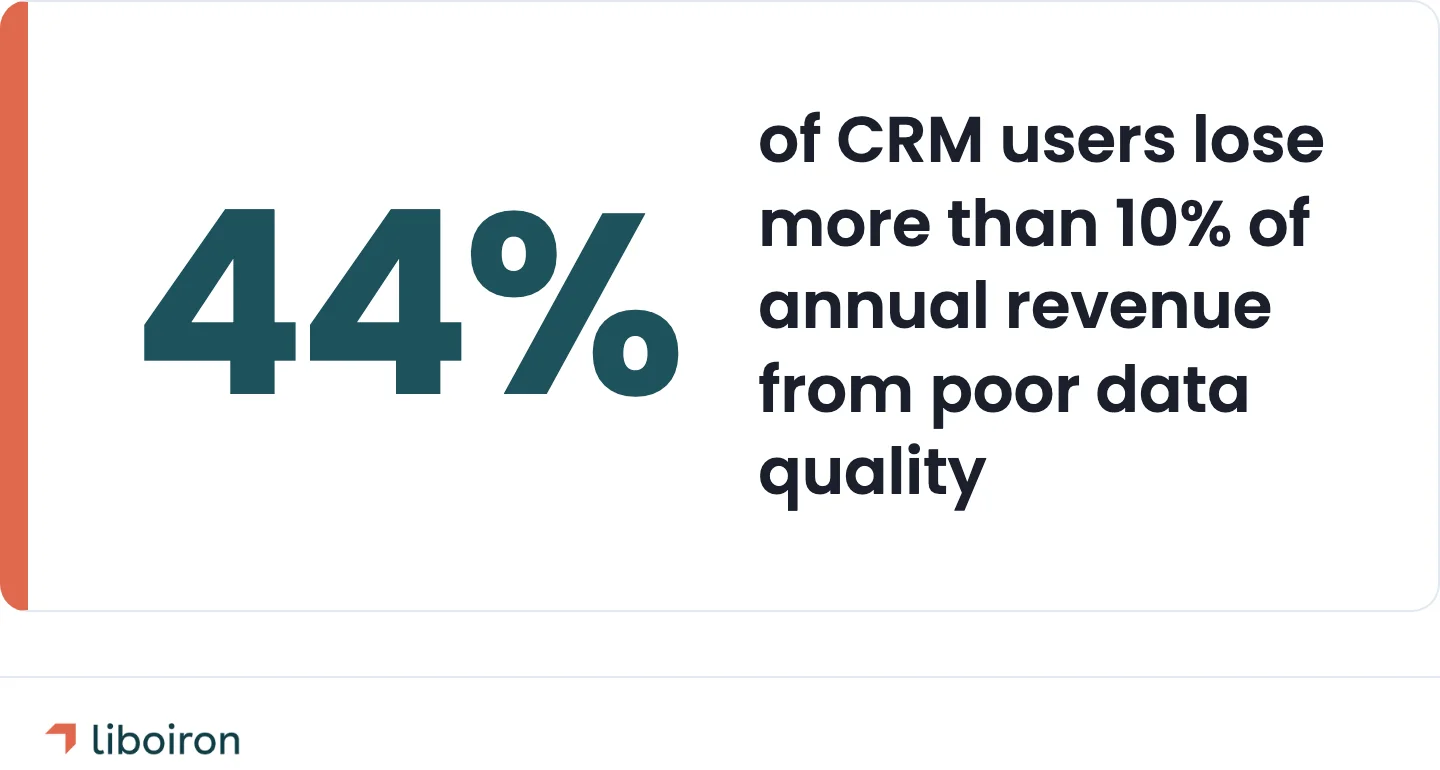
Audit your existing data. Where does your customer data live today? Spreadsheets, email inboxes, another CRM, sticky notes? Identify what is worth migrating, what needs cleaning, and what should be left behind. According to a Validity study, 44% of CRM users lose more than 10% of annual revenue from poor data quality. Cleaning data before import is not optional.
Identify your team and roles. Who will be the Pipedrive admin? Who are the daily users? Who needs reporting access only? Pipedrive's visibility and permission settings depend on clear role definitions. Get this wrong and reps see deals they shouldn't, or managers lose visibility into pipeline health.
Set measurable goals. "Improve sales" is not a goal. "Reduce lead response time from 4 hours to under 30 minutes" is. "Increase pipeline visibility so the VP of Sales can forecast monthly revenue within 10%" is. Tie CRM success to specific numbers so you can measure whether the implementation worked.
7 Steps to Implement Pipedrive
Step 1. Build Your Pipeline Stages
Your pipeline is the backbone of Pipedrive. Every deal lives in a pipeline, and every pipeline is a sequence of stages that mirror your actual sales process.
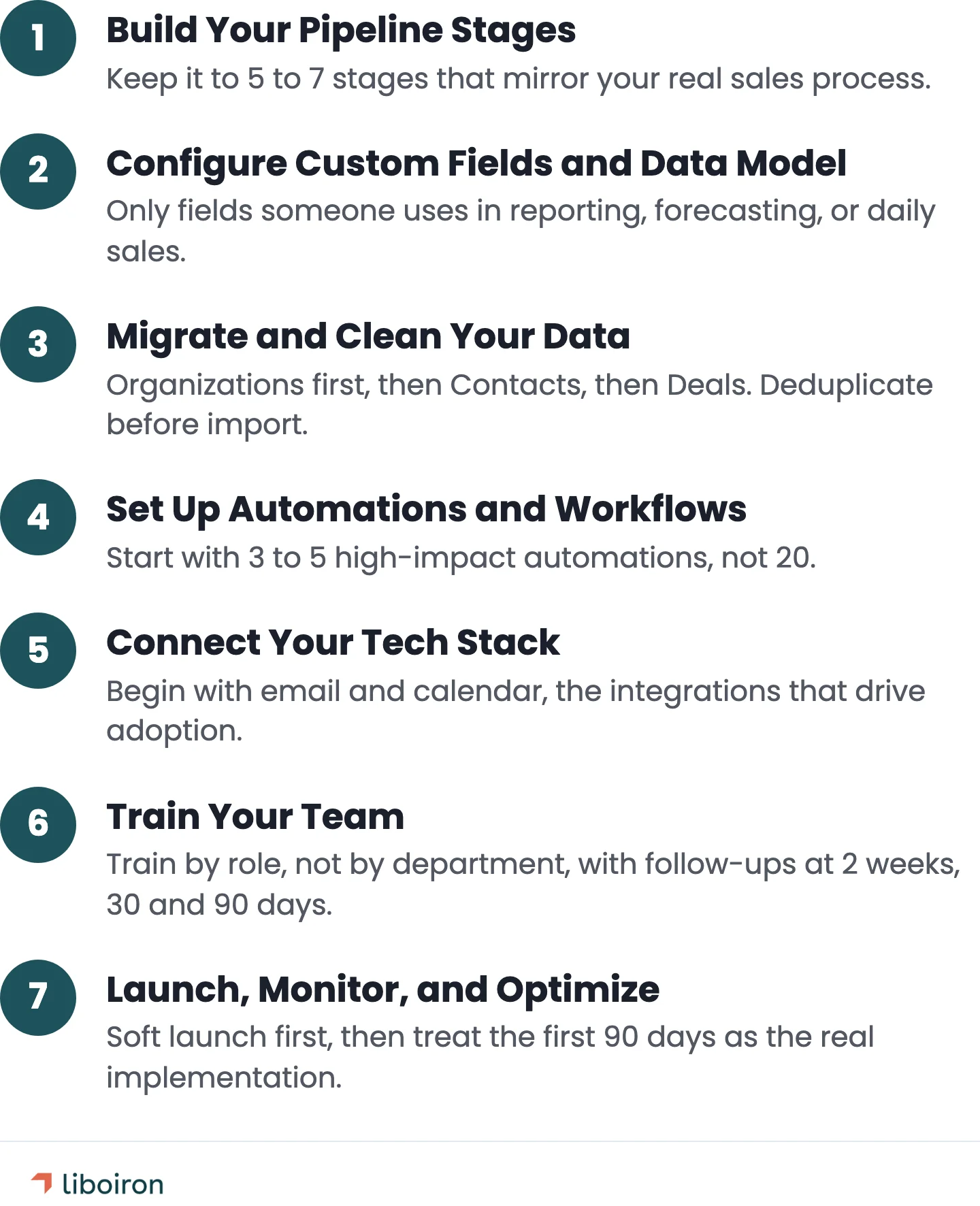
Keep it to 5 to 7 stages. Each stage needs a clear entry criteria and exit criteria. "Qualified Lead" is a stage. "Kinda Interested" is not. Pipeline stage bloat is the most common setup mistake. Too many stages confuse reps, slow down data entry, and make reporting unreliable.
Pipedrive supports multiple pipelines for different products, services, or sales motions. A construction company might have one pipeline for bids and another for change orders. A property management company might separate rental inquiries from commercial leases. Use separate pipelines when the sales process is genuinely different, not just to categorize deals.
Set up deal rotting thresholds for each stage. This is a Pipedrive feature that flags deals sitting too long without activity. A deal stuck in "Proposal Sent" for 30 days with no follow-up is probably dead. Rotting alerts surface these deals so your team can act on them or close them out.
Set win probability percentages per stage for revenue forecasting. Early stages get lower percentages (10-20%), later stages get higher ones (60-80%). This feeds Pipedrive's forecasting dashboard.
Step 2. Configure Custom Fields and Data Model
Custom fields capture the data your sales process needs beyond Pipedrive's defaults. Contact fields, deal fields, and organization fields each serve a different purpose.
Every field should answer one question: who needs this data and when? If nobody uses the field in reporting, forecasting, or day-to-day sales, it should not exist. Field bloat is real. Twenty custom fields that nobody fills out are worse than five fields that every rep completes on every deal.
Pipedrive supports text, monetary, address, phone, date, and dropdown field types. Use dropdowns and single-option fields wherever possible. Free-text fields produce inconsistent data that is hard to report on.
"Lead Source" as a dropdown with 8 options gives you clean data. "Lead Source" as a free-text field with 47 spelling variations of "Google" does not.
Mark fields as required sparingly. Every required field slows down data entry. Only require fields that are critical to your pipeline and reporting.
Step 3. Migrate and Clean Your Data
Import sequence matters in Pipedrive. Organizations first, then Contacts, then Deals. Contacts link to Organizations, and Deals link to both. If you import Deals first, you create orphaned records.
Before you import anything:
- Deduplicate your source data. Merge duplicate contacts and organizations in your spreadsheet, not after import. Pipedrive has a merge duplicates feature, but it is faster and cleaner to handle this before the data enters the system.
- Standardize formats. Phone numbers should follow one format. Addresses should be consistent. Company names should not have three variations ("ABC Corp", "ABC Corporation", "abc corp").
- Run a test import with 50 to 100 records first. Check the field mapping. Verify that data landed in the right fields. Fix mapping errors before importing your full database.
Pipedrive's CSV import tool walks you through field mapping. Map each column in your spreadsheet to the correct Pipedrive field. Custom fields created in Step 2 will appear as mapping options.
We have seen teams lose weeks because they imported 10,000 contacts before checking whether their phone number field mapped correctly. One property management company we worked with, Multilogements ChezTOIT, was managing 700 rental units with a 2-person team running everything through manual processes. When we migrated them to Pipedrive, getting the data structure right from day one was what made the difference. The result: 67% faster lead processing and over 5 hours saved per week.
Step 4. Set Up Automations and Workflows
Start with 3 to 5 high-impact automations, not 20. Automation should remove repetitive manual steps, not replace human judgment on deals.
Good first automations:
- Create a follow-up task when a new deal enters the pipeline
- Assign leads by territory or product line using deal field values
- Send a notification when a deal sits in one stage for more than X days (deal rotting)
- Move a deal to the next stage when a specific activity is completed
Pipedrive's workflow automation builder uses a trigger-condition-action structure. A trigger fires (new deal, stage change, activity completed), a condition filters (only deals over CA$10,000, only deals in the "Enterprise" pipeline), and an action executes (create task, send email, update field).
Be aware of scale limits. Pipedrive workflow automations have caps on the number of active workflows and a 90-day execution window per workflow path. For teams with complex multi-step processes, you may need an external automation platform to handle sequences that exceed Pipedrive's native capabilities. Plan for this early rather than discovering it after you have built 15 workflows that cap out.
Test every automation before go-live. Create a test deal and run it through your entire pipeline. Verify that tasks get created at the right stage, notifications go to the right people, and field updates fire correctly. Automation bugs that surface after launch erode trust in the system fast.
Step 5. Connect Your Tech Stack
Pipedrive connects to over 500 tools through its Marketplace. Start with the integrations your team uses daily.
Email: Sync Gmail or Outlook so all email communication logs automatically against contacts and deals. This is the integration that drives the most adoption. If reps don't have to manually log emails, they actually use the CRM.
Calendar: Connect Google Calendar or Outlook Calendar. Activities scheduled in Pipedrive appear on the calendar and vice versa.
Accounting: Connect QuickBooks or your accounting software to track deal-to-invoice workflows.
Communication: Phone, video conferencing, and messaging integrations (Slack, calling tools) keep communication logs centralized.
Marketing: Connect lead capture forms, landing page tools, and marketing platforms so new leads flow directly into your pipeline.
Integrations fall into two categories: native (built into Pipedrive or available through the Marketplace) and third-party (connected via an automation platform that acts as the bridge between systems). Native integrations are simpler to maintain. Third-party connections add flexibility but require ongoing management.
Step 6. Train Your Team
Training is where most CRM implementations succeed or fail. According to a Columbus study, 53% of CRM users said better onboarding and training would improve CRM effectiveness. Poor user adoption is the number one reason CRM implementations fail.
Train by role, not by department.
- Sales reps need pipeline management, activity logging, deal updates, and mobile app training. Focus on daily workflow: "here is how you log a call, update a deal, and check your tasks every morning."
- Sales managers need dashboard training, pipeline reporting, forecasting, and team performance monitoring. Focus on visibility: "here is how you see which deals are stalling and which reps need support."
- Admins need configuration, automation, custom field management, and integration maintenance. Focus on system health: "here is how you add a field, build a report, and troubleshoot a broken workflow."
Do not rely on a single training session. People retain a fraction of new information from one sitting. Schedule follow-up sessions at 2 weeks, 30 days, and 90 days. Use the first 30 days to identify where reps are struggling and provide targeted coaching.
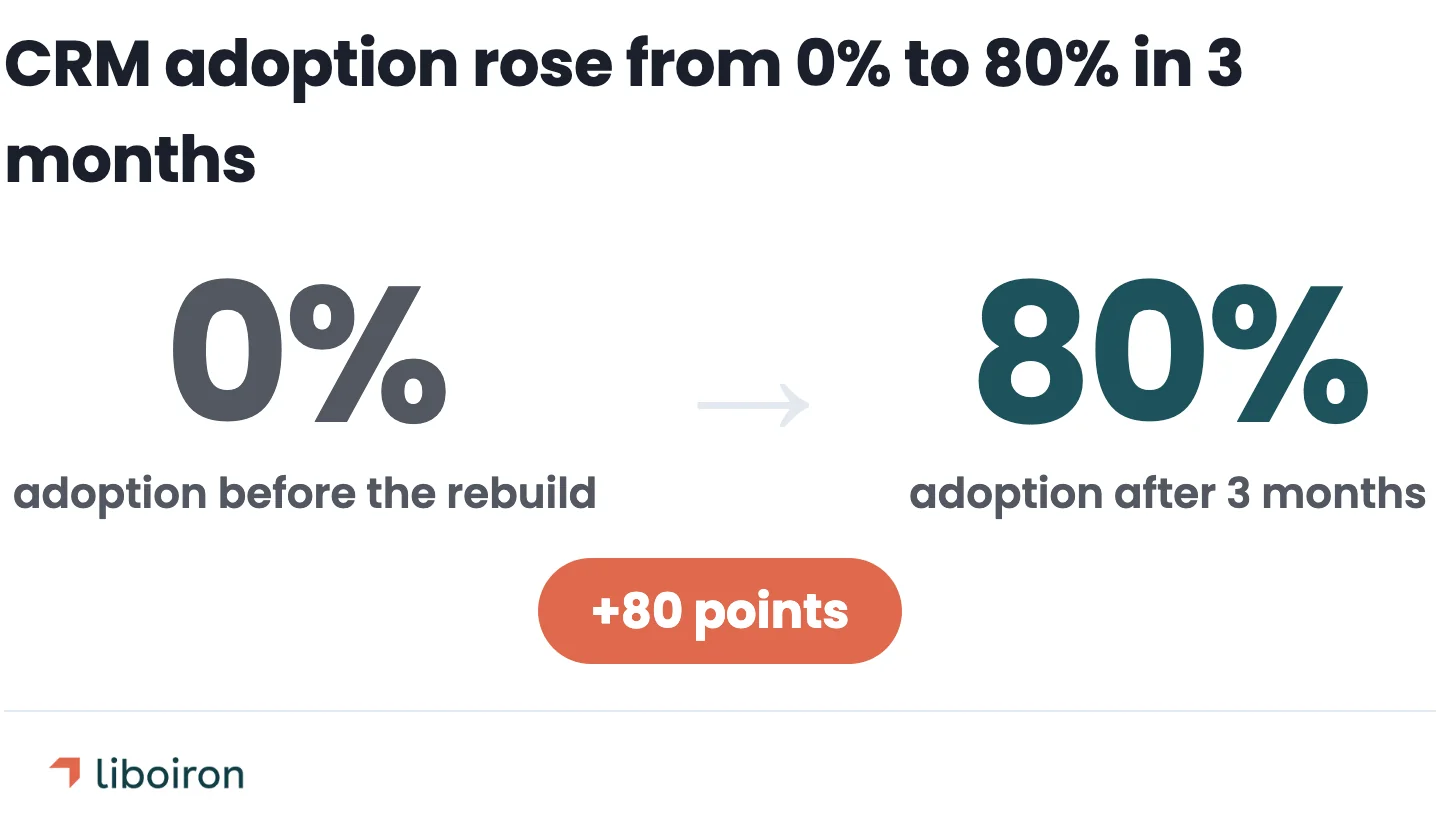
Lovepac, a packaging manufacturer, went from 0% to 80% CRM adoption in 3 months after a structured CRM rebuild that included role-based training and 15 custom dashboard reports. Adoption is achievable when the training is tied to how each role actually uses the system.
Step 7. Launch, Monitor, and Optimize
Don't flip the switch for your entire organization on day one. Start with a soft launch. Roll Pipedrive out to a small group of 3 to 5 users first. Let them use it for a week, collect feedback, fix problems, and then expand to the full team.
The first 90 days are the optimization window. Monitor these metrics weekly for the first month, then bi-weekly:
- Adoption rate: Are all users logging in daily? Are they creating activities and updating deals?
- Data entry completeness: Are required fields being filled? Are notes being added?
- Pipeline velocity: How fast are deals moving through stages?
- Deal rotting: Are stale deals being addressed or ignored?
Build custom reports in Pipedrive's Insights dashboard for each metric. Create a manager dashboard that shows adoption and pipeline health in one view. Give managers a weekly snapshot so they can coach reps who are falling behind.
Set up sales forecasting using the win probability percentages from Step 1. Pipedrive's revenue forecast report pulls from pipeline stages and close dates. Managers can see expected revenue by month and identify gaps before they become problems.
After 90 days, switch to quarterly reviews. Evaluate whether the pipeline stages still match the sales process. Remove automations that are not adding value. Add new integrations based on what the team actually needs rather than what seemed like a good idea at launch.
Realistic Pipedrive Implementation Timelines
Implementation timelines depend on four factors: team size, data complexity, number of integrations, and whether you have internal resources to manage the project.
A typical week-by-week breakdown for a standard implementation:
- Weeks 1 to 2: Discovery and design. Map sales process, audit data, define pipeline stages, plan integrations.
- Weeks 2 to 3: Configuration. Build pipelines, custom fields, user roles, permissions. Run test imports.
- Weeks 3 to 4: Data migration. Full import, deduplication, field verification.
- Weeks 4 to 5: Automation and integrations. Build workflows, connect tech stack, test end-to-end.
- Weeks 5 to 6: Training and launch. Role-based training sessions, soft launch, feedback collection.
These timelines assume dedicated project time. If your team is doing implementation between sales calls and client meetings, add 2 to 3 weeks.
What speeds things up: Clean data (less deduplication work), a clear sales process already documented, a single pipeline with straightforward stages, and a designated internal project owner who can make decisions without committee approval.
What slows things down: Multiple legacy data sources with inconsistent formats, custom integrations that require API work, teams spread across offices or time zones, and stakeholders who need to approve every configuration decision.
5 Common Mistakes That Derail Pipedrive Implementations
1. Overcomplicating the Pipeline
Fifteen stages, forty custom fields, automations for everything. This is the most predictable failure pattern. The team that builds a complex system during implementation will simplify it 90 days later because nobody uses it.
Start lean. Launch with the minimum viable pipeline and add complexity only when you have data showing where the gaps are.
2. Skipping the Data Cleanup
Importing 5,000 contacts with duplicate records, missing phone numbers, and inconsistent company names does not save time. It creates a system nobody trusts. If reps open Pipedrive and see garbage data, they stop using Pipedrive.
Clean before you import. Deduplication, standardization, and a test import take two days. Fixing bad data after a full import takes two weeks.
3. Treating Training as a Checkbox
A one-hour training session and a PDF guide do not create CRM adoption. Training is a checkbox for the project manager who wants to mark it complete. Adoption is a management discipline that continues for months.
Build training into the calendar at 2 weeks, 30 days, and 90 days post-launch. Track who is logging in and who is not. Follow up individually.
4. Ignoring Deal Rotting
Pipedrive has a built-in deal rotting feature that flags deals stuck in a stage for too long. Not configuring it means stale deals clog your pipeline for months, making forecasting unreliable and pipeline reviews a waste of time.
Set rotting thresholds during implementation, not after. A deal in "Proposal Sent" for 45 days without activity should be flagged.
5. No Post-Launch Review Cadence
The implementation does not end at go-live. The first 90 days reveal what actually works and what the team ignores. Without regular reviews, bad habits become permanent and the CRM slowly becomes another system nobody trusts.
Schedule weekly reviews for month one, bi-weekly for months two and three, and quarterly after that.
DIY vs. Hiring a Pipedrive Implementation Partner
Do it yourself if: you have fewer than 5 users, a simple sales process, clean data (or no legacy data to migrate), and someone on the team willing to spend 10 to 15 hours learning Pipedrive's configuration.
Hire a partner if: you have 10+ users, data in a legacy CRM or scattered spreadsheets, multiple pipelines or complex workflows, tight timelines, or your team does not have the bandwidth to manage the project internally. A partner also makes sense when you need integrations between Pipedrive and industry-specific tools (construction project management, property management platforms, accounting systems) that require custom configuration.
Pipedrive's pricing at time of writing: Lite at CA$19/user/month (~US$14), Growth at CA$53/user/month (~US$39), Premium at CA$67/user/month (~US$49), and Ultimate at CA$108/user/month (~US$79) on annual billing. Plans over CA$548/year (~US$400/year) include free onboarding support from Pipedrive.
Partner implementation costs vary depending on scope, typically ranging from CA$7,000 to CA$27,000+ (~US$5,000 to US$20,000+) based on team size, integrations, and data migration needs. The return usually shows within the first quarter through time savings alone. A 10-person sales team saving 5 hours per week on manual CRM work recovers the implementation cost in months, not years.
Liboiron is a Pipedrive Service Partner that implements CRM systems for SMBs in manufacturing, construction, and property management across Canada. Our pricing is results-guaranteed, so you pay for outcomes rather than hours. That removes the "is the quoted timeline accurate?" anxiety that comes with most consulting engagements.
Our team of three works directly with every client. No handoffs to junior associates.
If you want to estimate the return on your CRM investment before committing, our ROI calculator can give you a starting point.
What a Successful Implementation Looks Like
Two real examples from Pipedrive implementations we have completed.
Multilogements ChezTOIT is a Quebec property management company overseeing 700 residential units with a 2-person rental team. Before Pipedrive, they managed rental leads through manual processes and disconnected tools. Every inquiry required manual entry, follow-up tracking lived in people's heads, and response times depended on who happened to check their inbox first.
We rebuilt their CRM around their specific rental workflow, not a generic sales pipeline. Lead sources (Facebook ads, website forms, phone inquiries) all fed into a single Pipedrive pipeline with stages mapped to their rental process. Automated follow-ups replaced manual tracking.
Results after 8 weeks:
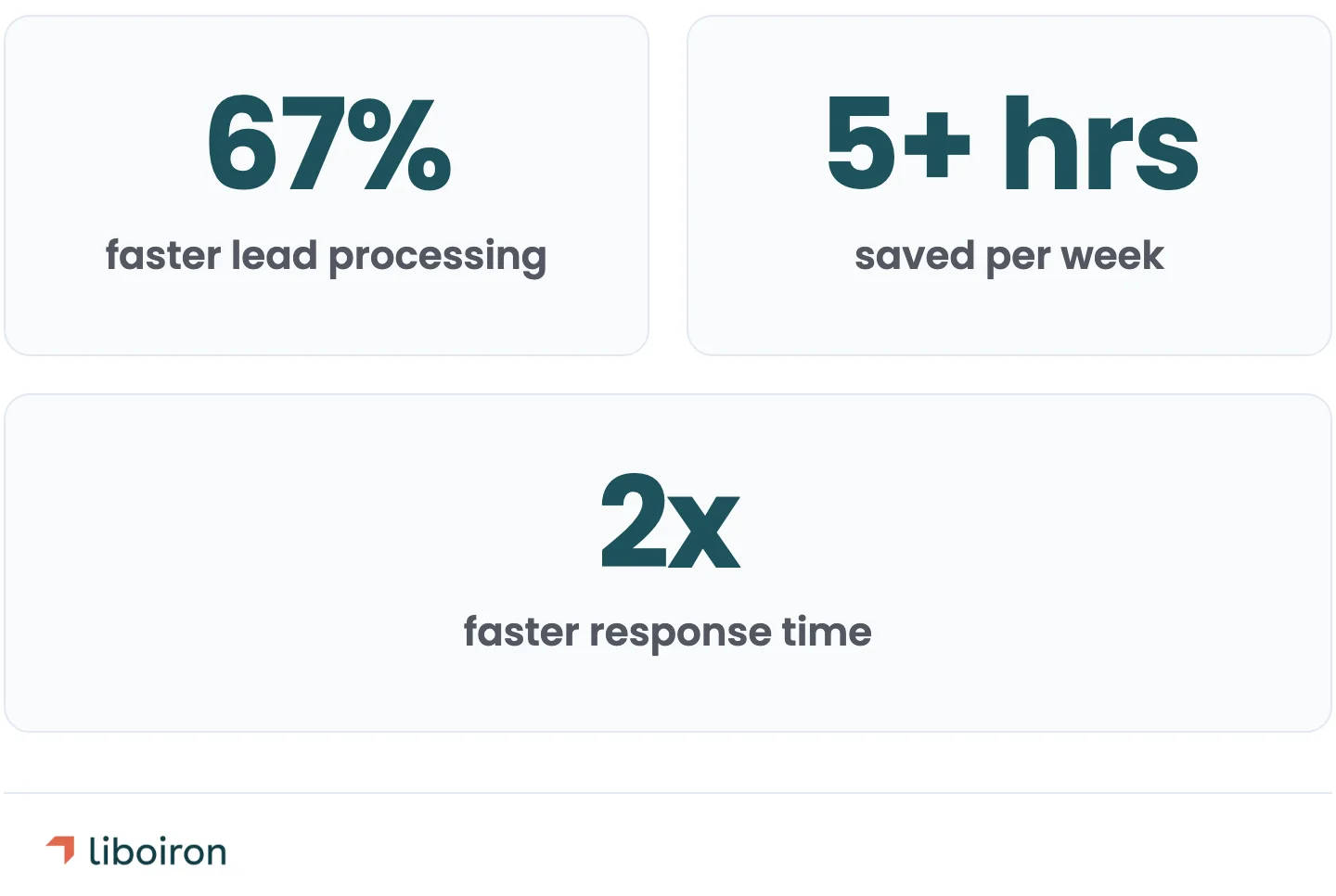
- 67% faster lead processing (from 15 minutes to 5 minutes per inquiry)
- 5+ hours saved per week on manual tasks
- 2x faster response time to rental inquiries
As Rosalie Lafrance, Rental and Marketing Director at Multilogements, put it: *"Julien helped us optimize our sales process by adapting our CRM to our needs and automating certain tasks to save us time."*
Read the full Multilogements case study
Reseau MaClinique is a Quebec commercial real estate developer managing approximately 20 healthcare properties with a 3-person leasing team. They were running everything through Excel spreadsheets, which meant no visibility into pipeline status and no way to track response times. We replaced their spreadsheets with Pipedrive, automated lead intake from their existing channels, and built reporting dashboards that gave management real-time visibility for the first time.
Results after 5 months:
- 50% faster response time (from 48 hours to 24 hours)
- 2 hours saved per week on reporting alone
Read the full MaClinique case study
Both implementations followed our Discover, Design, Deploy, Evolve methodology, which structures the project into clear phases with defined deliverables at each stage.
Also read: Best Pipedrive Partners in Quebec
Frequently Asked Questions
How much does Pipedrive cost?
Pipedrive ranges from CA$19/user/month (~US$14) for Lite up to CA$108/user/month (~US$79) for Ultimate on annual billing, with Growth and Premium in between. Plans over CA$548/year (~US$400) include free onboarding support from Pipedrive. Partner-led implementation is a separate cost, typically CA$7,000 to CA$27,000+ depending on team size, integrations, and CRM data migration.
How many pipeline stages should I set up?
Start with 5 to 7 stages, each with clear entry and exit criteria. Stage bloat is the most common setup mistake — too many stages confuse reps, slow data entry, and make reporting unreliable. "Qualified Lead" is a stage; "Kinda Interested" is not.
In what order should I import my data into Pipedrive?
Import Organizations first, then Contacts, then Deals. Contacts link to Organizations and Deals link to both, so importing Deals first creates orphaned records. Run a test import of 50 to 100 records to verify field mapping before importing your full database.
What is deal rotting in Pipedrive?
Deal rotting is a built-in feature that flags deals sitting too long in a stage without activity — a deal stuck in "Proposal Sent" for 30+ days, for example. Set rotting thresholds during implementation rather than after, so stale deals get surfaced instead of quietly clogging your pipeline and distorting forecasts.
The Bottom Line
A successful Pipedrive implementation comes down to preparation, simplicity, and follow-through. Map your sales process first. Keep the pipeline lean. Clean your data before import.
Train your team by role. And treat the first 90 days as the real implementation, not just go-live day.
The companies that get this right see measurable results within weeks: faster lead response, cleaner pipeline data, and sales teams that actually use the CRM instead of working around it.
Liboiron helps Canadian SMBs implement Pipedrive with a results-guaranteed model, backed by 18+ years of automation experience and a track record of measurable outcomes across manufacturing, construction, and property management.
Ready to implement Pipedrive the right way? Book a free strategic call to discuss your sales process and get a clear implementation plan.