Table of Contents
CRM data migration is the process of moving customer profiles, deals, activity history, and custom settings from one system to another. It sounds straightforward. It isn't.
More than half of CRM implementations fail to meet their stated objectives, and dirty data is the fastest way to join that majority. Move uncleaned records into a new CRM, and the team will stop trusting the system within weeks. Bad data compounds every other problem downstream.
This guide walks through the full CRM data migration process, from deciding what moves to validating that everything landed correctly.
Key Takeaways
- Clean your data before migration, not after. Post-migration cleanup costs 3-5x more than pre-migration cleansing.
- Field mapping decides what survives. Custom fields, deal stages, and parent-child record relationships need one-to-one mapping between your old and new CRM.
- Pilot migrate 50-100 records first. A test batch catches formatting errors, broken relationships, and missing custom fields before they multiply across your full database.
- Budget CA$5,000-50,000 for an SMB migration. The range depends on data volume, complexity, and whether you need automation workflows rebuilt.
- Don't migrate everything. Only move data that supports your business going forward. A typical B2B CRM carries 15-30% duplicate records and 30-40% dead weight.
What Is CRM Data Migration?
CRM data migration transfers records, relationships, and configurations from one customer relationship management platform to another. It's different from CRM integration, which connects a CRM to other tools. Migration moves the data itself.
Three scenarios trigger a CRM migration:
- Platform switch. Moving from one CRM to another (HubSpot to Pipedrive, Salesforce to HubSpot, or any other combination).
- Spreadsheet to CRM. Replacing Excel or Google Sheets with a purpose-built CRM. Common for growing teams that have outgrown manual tracking.
- System consolidation. Merging CRM data after an acquisition, department restructure, or move from multiple tools into one.
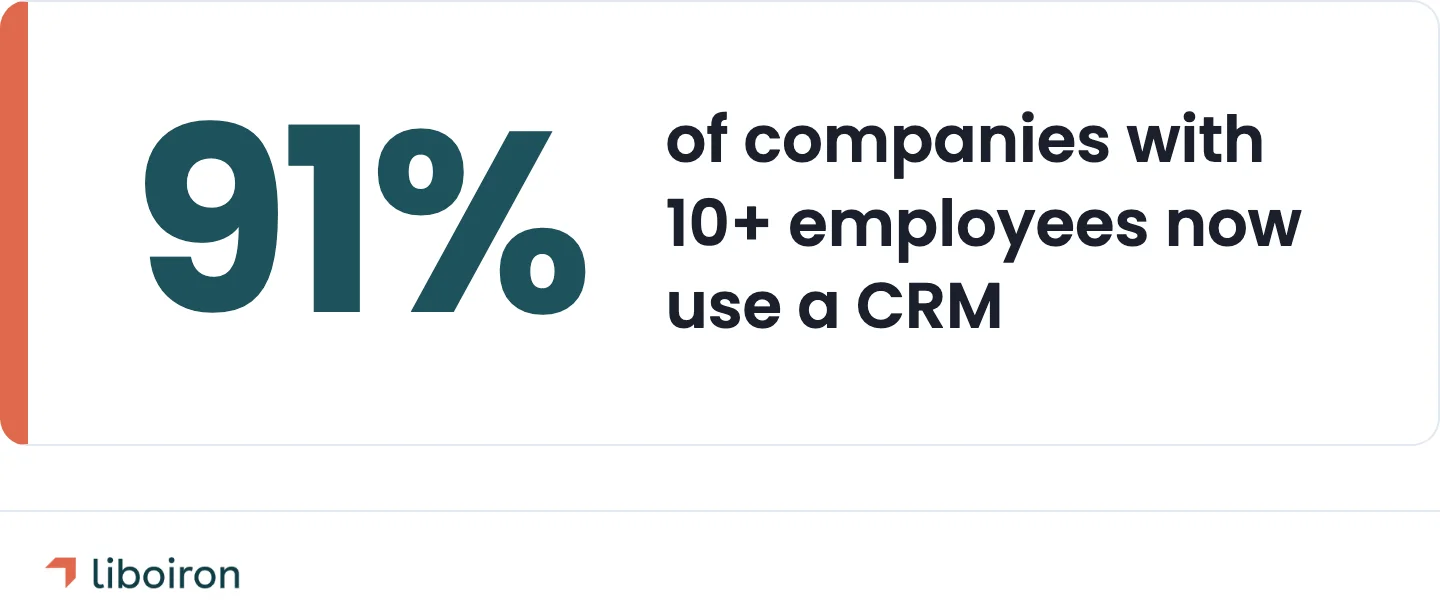
91% of companies with 10+ employees now use a CRM system. But adoption at smaller companies lags behind, and many that do have a CRM are running on an outdated or poorly configured setup. Either situation eventually leads to a migration conversation.
What Data Needs to Move (And What Doesn't)
Not everything in your old CRM belongs in the new one. The first step is deciding what migrates, what gets archived, and what gets deleted.
Data that almost always migrates:
- Contacts and companies. Names, emails, phone numbers, addresses, company associations. The core of any CRM.
- Deals and opportunities. Open deals, pipeline stages, expected close dates, deal values. Closed-won deals from the last 12-24 months for reporting continuity.
- Custom fields. Industry-specific fields, lead scoring, product preferences, contract terms. These need to be audited. Most CRMs accumulate custom fields that nobody uses anymore.
- Pipeline configuration. Stages, required fields, automation triggers, win/loss reasons.
Data to evaluate carefully:
- Activity history. Emails, call logs, meeting notes, task records. This is the most common casualty of a migration. Contacts transfer easily. The timeline of who talked to whom and when often doesn't. Proprietary activity formats rarely map cleanly between platforms.
- Closed-lost deals older than 2 years. Good for pattern analysis but not worth migrating if they'll clutter the new system.
- Attachments. Proposals, contracts, and documents stored inside the CRM. Large file volumes can significantly increase migration time and cost.
Data to leave behind:
- Duplicate records. A typical B2B CRM has a 15-30% duplicate rate. Migrating duplicates means deduplicating twice.
- Bounced emails and invalid contacts. Over 70% of B2B contact data becomes inaccurate within a year, according to Gartner. Contacts who haven't engaged in 18+ months are likely dead weight.
- Unused custom fields. If nobody has entered data into a field in 6+ months, retire it.
For operations-heavy businesses in manufacturing or construction, the critical data extends beyond the typical sales pipeline. Work orders, project milestones, equipment records, and compliance documents may live in or alongside the CRM. Map these early. They're easy to miss in a standard migration checklist.
CRM Data Migration in 6 Steps
Step 1: Define Scope and Stakeholders
Start by answering three questions: what data migrates, who owns the project, and when does it need to be done?
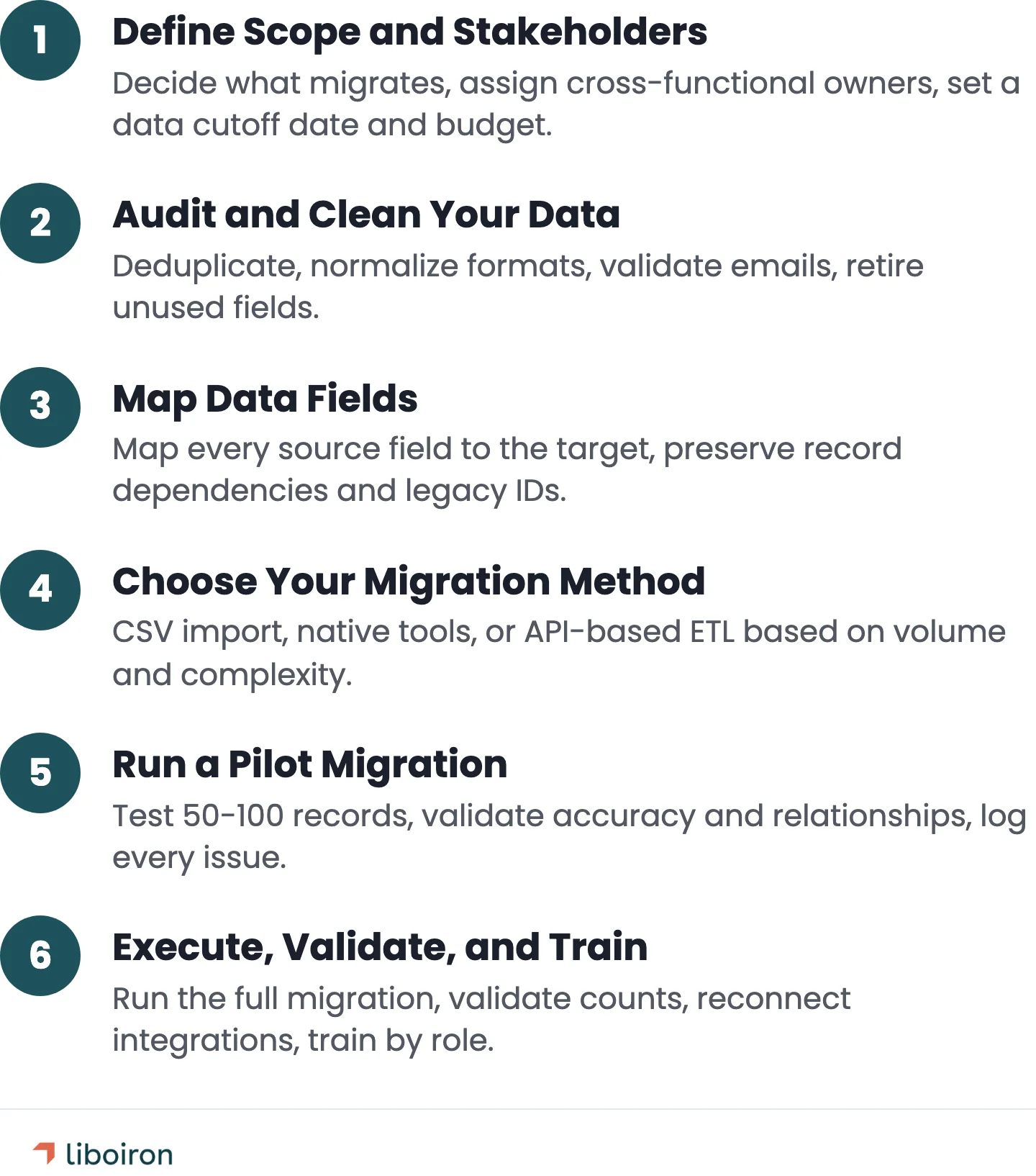
Scope the data. Use the framework above. List every data type, decide migrate/archive/delete for each, and document the decision. This document becomes your migration blueprint.
Assign cross-functional owners. CRM data doesn't belong to one team. Sales owns pipeline data. Marketing owns lead sources and campaigns. Operations owns workflows and custom objects. Finance needs reporting continuity. Each team nominates someone to validate their data before and after migration.
Set a data cutoff date. This is the date after which no new data enters the old CRM. Everything entered before this date migrates. Everything after goes directly into the new system. Without a cutoff, you end up chasing a moving target.
Budget and timeline. SMB CRM migrations typically cost CA$5,000 to CA$50,000 depending on data volume and complexity. Timeline: 4-8 weeks for organizations with under 10,000 records. Add 2-4 weeks for complex custom objects or multiple data sources.
Step 2: Audit and Clean Your Data
Data cleansing before migration is the single highest-ROI step in the entire process. Post-migration cleanup costs 3-5x more than addressing problems in the source system.
Deduplicate. Run a duplicate scan on contacts, companies, and deals. Merge records that refer to the same entity. A CRM with 10,000 contacts likely has 1,500-3,000 duplicates based on industry averages.
Normalize formats. Phone numbers, addresses, and dates should follow a single standard. Country codes, postal code formats, and province/state abbreviations are common inconsistencies.
Validate email addresses. Remove bounced, invalid, and role-based addresses (info@, support@). These inflate your contact count and, for platforms like HubSpot that charge based on contacts, can directly increase your subscription cost.
Retire unused fields. Export a list of every custom field. Check each one: when was data last entered? By how many records? Fields with less than 10% population rate are candidates for deletion.
Fix incomplete records. Contacts missing a company association, deals missing an owner, companies missing an industry tag. Fill gaps or flag records as incomplete.
Bad data doesn't stay contained in a new system. It multiplies. An unclean contact record generates bad automation triggers, inaccurate reports, and eroded team trust. Clean it once, before migration, and the new CRM starts with a foundation the team can rely on.
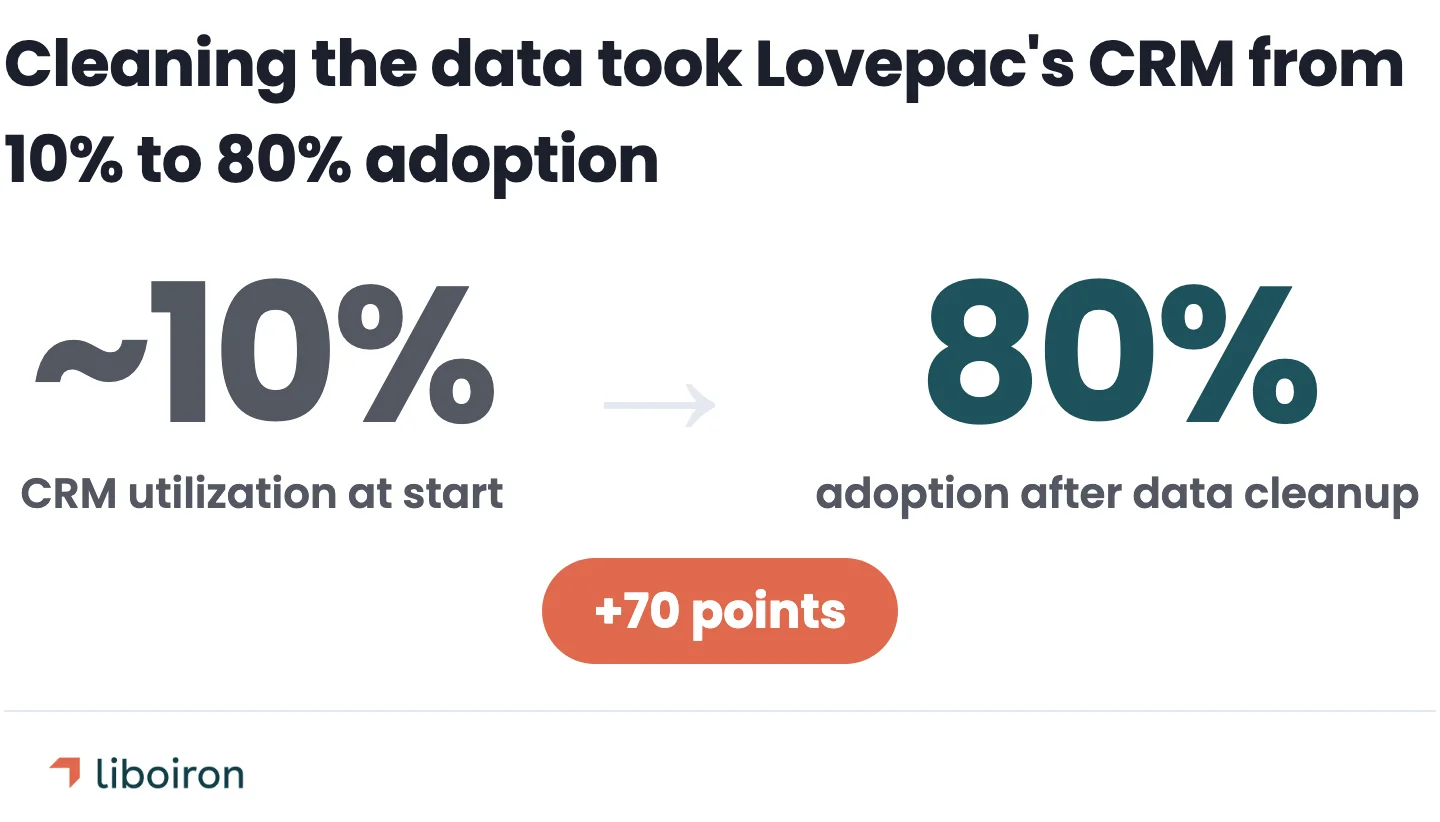
We saw this play out with Lovepac, a packaging manufacturer whose HubSpot CRM sat at roughly 10% utilization. The core issue wasn't the software. It was the data: duplicate contacts, empty fields, and no standardized entry process. Reps didn't trust the system because the data didn't reflect reality. After a full data audit, deduplication, and field restructuring, the CRM became a tool the team could rely on. Adoption climbed to 80% and the sales cycle shortened by 20%.
Step 3: Map Data Fields
Field mapping is where you define how each piece of data in the old CRM translates to the new one. This step determines whether your records arrive intact or broken.
Create a mapping document. List every field in the source CRM. Next to each, list the corresponding field in the target CRM. Options for each field:
- Direct map. Source field "Company Name" → Target field "Company Name." No transformation needed.
- Transform. Source field "Province" (full name) → Target field "Province" (two-letter code). Data format changes during migration.
- Merge. Two source fields ("First Name" + "Last Name") → One target field ("Full Name").
- No equivalent. Source field has no match in the target CRM. Create a new custom field or retire the data.
Map record dependencies. CRM records connect to each other. Companies have contacts. Contacts have deals. Deals have activities. These parent-child relationships need to migrate in the correct order: companies first, then contacts linked to those companies, then deals linked to those contacts.
If you skip this step, you end up with orphaned records. Contacts with no company. Deals attached to the wrong contact. Activity history floating with no context.
Preserve legacy IDs. Create a custom field in the new CRM called "Legacy ID" and populate it with the record ID from the old system. This lets you cross-reference records between systems during validation and for the next 6-12 months while teams adjust.
Use compound keys for account conversion. If you're moving from a contact-centric CRM to an account-centric one, contacts need to be grouped under the right company. Use a combination of Company Name + Address to create compound keys that group contacts into accounts automatically.
For industry-specific workflows, field mapping gets more nuanced. A construction company's CRM might track project phases, bid status, and subcontractor relationships. A manufacturer might have custom fields for product specifications, order quantities, and production timelines. These fields don't exist in standard CRM templates and need custom mapping.
Step 4: Choose Your Migration Method
The right migration method depends on your data complexity and team's technical capacity. There are three options, and each has clear use cases.
CSV/Spreadsheet import. Export data from the old CRM as CSV files. Import into the new one. This works for simple contact lists under 1,000 records with no custom objects or complex relationships. The limitation: CSV import preserves basic fields but loses record associations, activity history, and deal context. You get the data but not the structure.
Native platform tools. Most major CRMs offer built-in import tools or migration wizards. Pipedrive supports third-party migration tools for moving data from Salesforce, Zoho, Freshworks, and others. HubSpot has a built-in import tool that handles contacts, companies, deals, and tickets. These tools handle standard field types well but can struggle with custom objects and complex automations.
API-based ETL (Extract, Transform, Load). For anything beyond a basic contact import, API-based migration is the reliable option. ETL extracts data from the source CRM through its API, transforms it to match the target CRM's data model, and loads it into the new system. This method preserves record relationships, custom field data, and can handle complex transformations.
When to use each method:
Step 5: Run a Pilot Migration
Never push a full database into a new CRM without a test run first.
Select a representative sample. Pick 50-100 contact records that include a mix of: contacts with company associations, contacts with open deals, contacts with activity history, and contacts with populated custom fields. The sample should stress-test every data type, not just the easy ones.
Migrate the sample. Run the migration using your chosen method (Step 4) into a sandbox or test environment.
Validate the results. Check each of these:
- Field accuracy. Do values appear in the correct fields? Are phone numbers formatted correctly? Are dates in the right format?
- Record relationships. Are contacts linked to the right companies? Are deals attached to the correct contacts?
- Custom fields. Did custom dropdown values, numerical scores, and text fields transfer correctly?
- Activity history. Did emails, call logs, and notes migrate? Are they attached to the right contact?
Document every issue. Create a log of mapping errors, formatting problems, and missing data. Fix these in your mapping document (Step 3) before the full migration. Every issue you catch in a 100-record pilot is an issue you don't fix across 10,000 records.
Test integrations. If the new CRM connects to other tools (email, accounting, marketing platforms), verify those connections work with migrated data. A contact that migrated successfully but doesn't trigger the correct email sequence is still a broken migration.
Step 6: Execute, Validate, and Train
With the pilot complete and mapping errors corrected, it's time for the full migration.
Enforce the data cutoff. Freeze data entry in the old CRM as of your cutoff date. Any new data from this point forward goes directly into the new system. Communicate this to every team that uses the CRM at least one week before the cutoff.
Run the full migration. Execute during off-hours to minimize disruption. If using API-based ETL, monitor the process for rate limiting, timeout errors, and failed records. Log every error for post-migration review.
Validate with record counts. Compare total record counts between source and target: contacts, companies, deals, activities. If the numbers don't match, investigate before moving on. A common cause: duplicate records that were merged during migration, or records filtered out by validation rules in the new CRM.
Spot-check 5-10% of records. Random sampling catches issues that record counts miss. Pull a random set of records and verify: correct company association, correct deal values, correct pipeline stage, and correct activity history.
Run a permissions audit. Verify that user roles, visibility settings, and data access controls are configured correctly in the new system. A sales rep seeing another team's pipeline, or a manager missing dashboard access, creates immediate friction.
Reconnect integrations. Email sync, calendar connections, accounting tools, lead capture forms, and automation workflows. Each integration needs to be tested with live data in the new CRM.
Keep the old CRM running for 3-6 months. Maintain read-only access to the legacy system as a safety net. Teams will need to reference old activity history, check historical data, and resolve edge cases that surface weeks after migration.
Train by role, not by feature. A sales rep needs to know how to log a call, move a deal, and check their pipeline. An operations manager needs dashboards and reporting. A VP needs forecast views.
Role-specific training drives adoption far more effectively than a generic CRM overview. User training and clean data migration are consistently ranked as the two strongest predictors of CRM implementation success after executive buy-in.
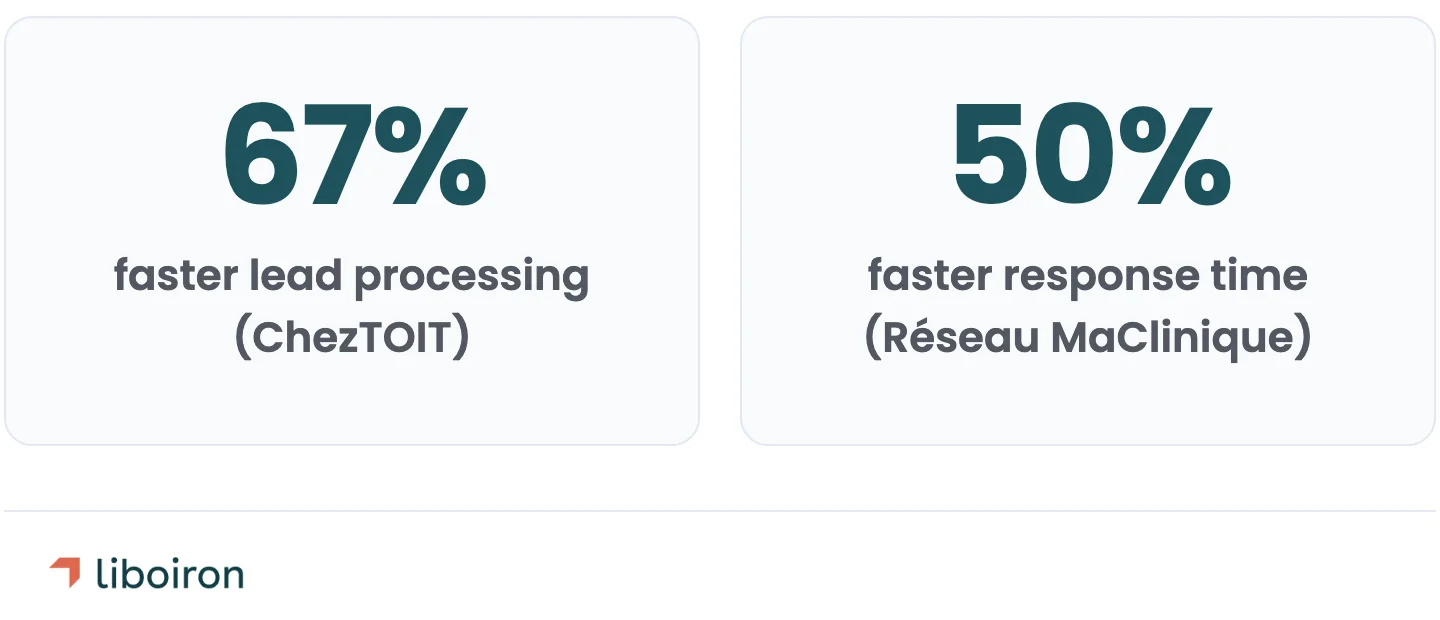
We worked with Multilogements ChezTOIT, a Quebec property management company with 700 residential units and a 2-person rental team. Their Pipedrive setup was built around how the team actually processed rental inquiries, not a generic sales pipeline template. The result: 67% faster lead processing and 5+ hours saved per week. The training matched the workflow, so the team used it from day one.
Define minimum usage standards from the start. Every active deal needs an owner, a value, a next step, and a close date. Without these standards, "optional CRM usage" takes hold and adoption drops regardless of how clean the data is.
When to Hire a CRM Migration Partner
Some migrations are straightforward enough to handle internally. Others aren't.
DIY is viable when:
- Your database has fewer than 5,000 contact records
- You're moving from one CRM to another with similar structure
- You have no custom objects or complex automation workflows
- One person can own the full process end-to-end
Hire a partner when:
- Your database exceeds 10,000 records
- You have custom objects, multi-source data, or complex record relationships
- Automation workflows need to be rebuilt in the new platform
- Multiple teams use the CRM for different purposes (sales, operations, finance)
- You need the migration done within a fixed timeline without disrupting daily operations
Phased migrations run by experienced partners typically cost 20-30% less than big-bang approaches. The savings come from reduced error correction and less rework after go-live.
The cost of a failed DIY migration goes beyond the data itself. Lost deals, broken reporting, and team frustration with yet another "system that doesn't work" can set CRM adoption back months.
Réseau MaClinique, a commercial real estate developer in Quebec, was tracking their leasing pipeline in Excel before we moved them to Pipedrive. The migration wasn't just about transferring a contact list. It meant restructuring how 20+ healthcare properties were tracked, building custom pipeline stages for long-cycle commercial leases, and training a 3-person team. The result: 50% faster response time and 2 hours saved weekly on reporting.
If you're evaluating whether a migration partner makes sense for your situation, our ROI calculator can help you estimate the return. And our methodology (Discover, Design, Deploy, Evolve) is designed to reduce the risk of each phase.
Also read:
CRM Data Migration FAQ
What are the four types of data migration?
The four types are storage migration, database migration, application migration, and cloud migration. CRM data migration falls under application migration because you're moving data between two software platforms. Storage migration moves data between physical or virtual storage systems. Database migration moves data between database engines (e.g., MySQL to PostgreSQL). Cloud migration moves data from on-premise systems to cloud infrastructure.
How long does CRM data migration take?
Most SMB CRM migrations take 4-8 weeks for organizations with under 10,000 records. Mid-sized organizations with custom objects, multiple data sources, and complex automation workflows should plan for 1-3 months. The timeline depends on three factors: data volume, data cleanliness (dirty data adds 4-6 weeks of cleansing), and the number of integrations that need to be reconnected.
How much does CRM data migration cost?
CRM data migration costs range from CA$5,000 to CA$50,000 (~US$3,700 to ~US$37,000) for SMB to mid-sized organizations. Simple contact-only imports with under 5,000 records are on the low end. Complex migrations involving custom objects, multiple data sources, automation workflow rebuilds, and integration reconnections are higher. The cost of not migrating properly is often larger: poor data quality costs organizations an average of $12.9 million annually, according to Gartner.
What is the biggest risk in CRM data migration?
Migrating dirty data. Bad records in the old CRM don't just transfer to the new one. They multiply. An unclean contact triggers incorrect automation sequences, generates inaccurate reports, and erodes team trust in the system. Pre-migration data cleansing is the most effective way to prevent this, and it costs a fraction of post-migration cleanup.
The Bottom Line
CRM data migration comes down to one principle: what goes into the new system determines whether your team uses it.
Clean the data first. Map every field before you move anything. Test with a small batch. Validate after the full migration. And train your team on how they'll actually use the system, not a generic feature tour.
The companies that get this right see faster adoption, more accurate reporting, and a CRM that the team trusts as a single source of truth. The ones that rush it spend months fixing data they should have cleaned before migration.
Liboiron runs CRM data migrations for Canadian SMBs as a certified Pipedrive Service Partner with five published case studies showing verified migration and implementation outcomes across manufacturing, construction, and property management.
Book a free strategic call to discuss your migration and get a clear project plan.