Table of Contents
A CRM only earns its keep when it's wired into the tools your team already uses every day. Your inbox, your phone system, your accounting software, your lead sources. When Pipedrive sits on its own, someone ends up copying data between tabs, and the pipeline drifts out of date. When it's connected, the work happens once and shows up everywhere.
A Pipedrive integration is a connection that lets Pipedrive share data with another tool automatically, so information flows between them instead of being re-entered by hand. Pipedrive offers more than 500 out-of-the-box integrations through its Marketplace, plus an open API and automation workflows for anything the Marketplace doesn't cover.
At Liboiron, we're a Montreal-based Pipedrive Service Partner with 18+ years of automation experience behind us, and we build and maintain these connections for Canadian SMBs in manufacturing and construction. This guide covers what Pipedrive connects to, how each connection is actually built, and which integrations your team needs first.
Key Takeaways
- Pipedrive connects to more than 500 tools through three build methods: a native Marketplace app, its open API, or an automation layer for tools without a native app.
- The right integrations depend on your stack, not a top-10 list. Communication, email and calendar, lead sources, and accounting are where most SMBs get the fastest return.
- The native QuickBooks connector is limited. A built integration layer that syncs deal-to-invoice is the reliable way to connect Pipedrive to your accounting.
- Setup is measured in weeks, not clicks. A single native app connects in minutes, but a full Pipedrive build that is wired, tested, and owned runs 4 to 6 weeks for a simple setup and 6 to 8 weeks for a standard one.
- Over-integrating is the common trap. Bolting on apps nobody owns creates duplicate records and data you can't trust.
What Is a Pipedrive Integration?
A Pipedrive integration is a connection between Pipedrive and another application that lets the two share data automatically. Instead of exporting a spreadsheet or retyping a contact, the information moves on its own: a new lead from a web form lands in your pipeline, a signed proposal updates the deal, a logged call attaches to the right person.
Pipedrive supports more than 500 native integrations through its Marketplace, and connects to thousands more tools through automation platforms and its open API. The point of connecting them is simple. You kill the data silos that build up when every team uses a different tool, you centralize your sales conversations in one place, and you cut the manual data entry that quietly eats hours every week. A connected CRM becomes the single source of truth for where every deal stands. If you're earlier in the journey and still weighing whether a CRM is worth it, start with our guide on whether your business needs a CRM.

The 3 Ways to Connect a Tool to Pipedrive
Every Pipedrive integration is built one of three ways: a native Marketplace app, the open API, or an automation layer. Knowing which is which tells you how much work a connection takes and where it can break.
- Native Marketplace apps. Pipedrive's Marketplace holds 500+ apps you install and authorize in a few clicks. This is the fastest path when a native app exists, but you're limited to the data and settings the app chooses to expose.
- Open API. Pipedrive publishes an open API that developers use to build custom connections. This is how you link a tool that has no native app, or handle a workflow the standard app can't. It's also how the deeper, non-standard builds get done. Our post on how APIs let tools talk to each other breaks this down in plain language.
- Automation layer. For tools without a native app, an automation platform sits between them and moves data on rules you define. This no-code layer connects thousands of apps and is how most of the long tail gets wired. It's also where our process automation work lives.
Which method fits depends on the tool and the workflow. Pick the wrong one and you get brittle connections that drop records or create duplicates. That choice is most of what separates an integration that holds up from one that quietly falls apart.
Pipedrive Integrations by Category
Pipedrive's integrations fall into nine functional categories: communication and calling, email and calendar, marketing, documents and e-signature, accounting, lead generation, customer support, project management, and automation platforms. Each one maps to a set of example tools, a typical way the connection is built, and a specific job it does for your pipeline.
Communication and Calling Tools
Pipedrive connects to the phone, video, and messaging tools your team already talks in, so every conversation attaches to the right deal. Messaging apps like Slack and Microsoft Teams push deal notifications into the channels people watch. Video tools like Zoom and Google Meet link scheduled calls to the contact record. Phone and VoIP systems like Aircall, CloudTalk, and Talkdesk log calls automatically and can trigger a follow-up task the moment a call ends.
The payoff is a clean activity history. Instead of a rep remembering to note a call, the log writes itself and lives on the deal where the next person can see it.
Email and Calendar Sync
Pipedrive's email and calendar integrations log your messages and meetings against the right deal without any copy-paste. Gmail and Google Workspace and Outlook and Microsoft 365 both offer two-way sync, so emails you send from your normal inbox appear on the Pipedrive contact, and replies show up automatically. Calendly and similar booking tools drop new meetings straight into the pipeline as activities.
For most sales teams this is the first integration worth turning on. Email is where the deal actually happens, and syncing it means the CRM reflects reality instead of a rep's memory.
Marketing and Email Automation
Marketing integrations connect Pipedrive to your email campaigns so engagement flows back to the contact record. Mailchimp and ActiveCampaign sync subscribers, campaign opens, and clicks into Pipedrive, so sales can see which leads are warming up before they call. When a contact clicks a campaign link, that signal lands on their record instead of sitting in a separate marketing tool nobody in sales logs into.
This keeps marketing and sales working from the same data, which is where a lot of handoff friction disappears.
Documents, Proposals, and E-Signature
Document integrations pull deal data straight into your quotes and contracts, then write the signed status back to Pipedrive. PandaDoc, Qwilr, and DocuSign generate proposals populated with the contact and deal details already in your CRM, so nobody retypes a client name or a price. When the client signs, the deal stage can update on its own.
For teams that send a lot of proposals, this removes a slow, error-prone step and shortens the gap between "interested" and "closed."
Accounting and Invoicing
Pipedrive can connect to your accounting system, but the honest answer for QuickBooks is that the native connector is limited. It works only with QuickBooks Online, not Desktop, and only on QuickBooks Online plans from Simple Start up (Self-Employed and Solopreneur don't support it). You map Pipedrive fields to QuickBooks by hand during setup, and it isn't real-time: invoices are created deal by deal, and paid or overdue statuses only update when you refresh the invoice panel. For a team running real invoice volume, that is thin.
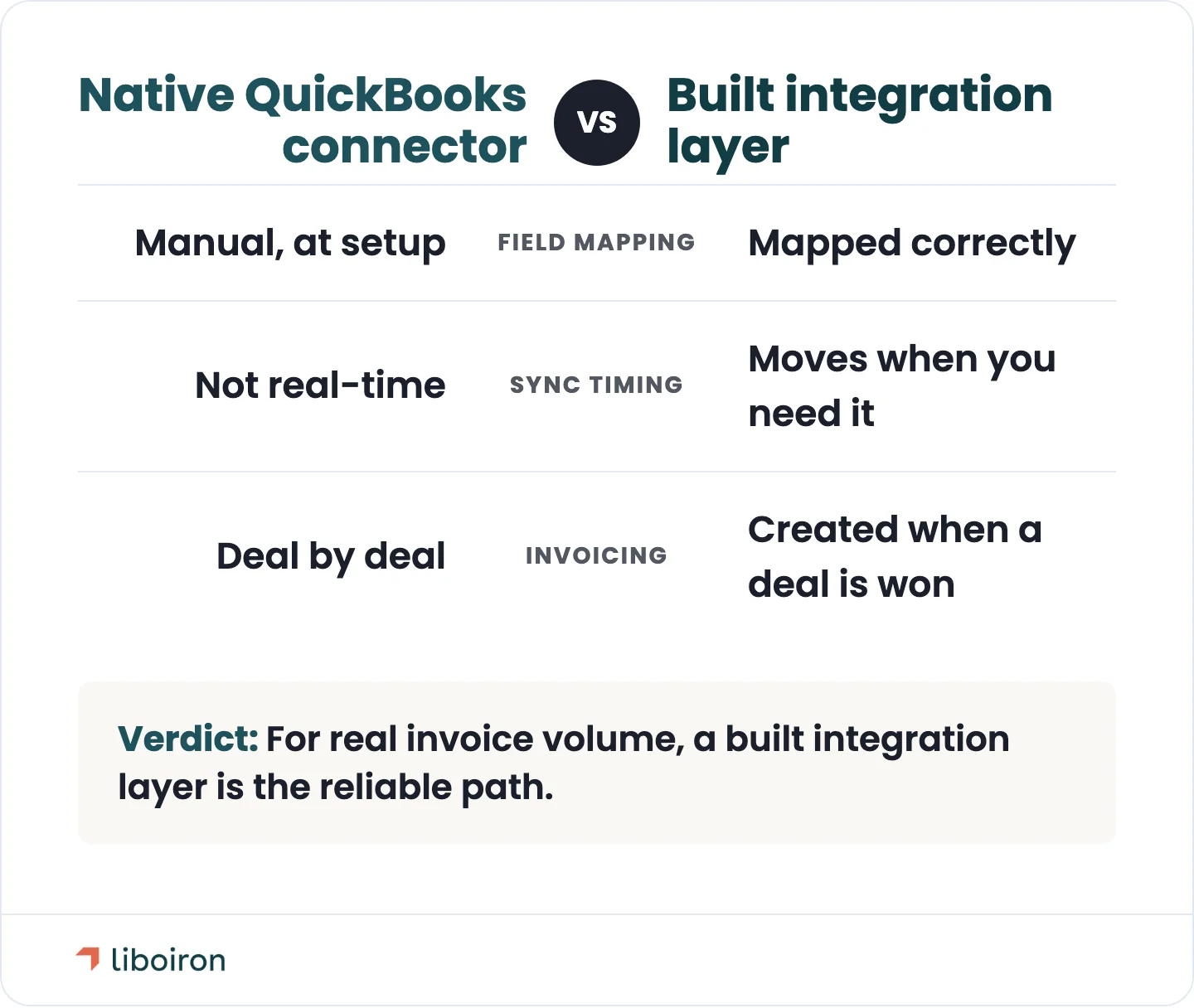
The reliable answer is a built integration layer that syncs deal-to-invoice. Rather than relying on the weak native connector, we connect Pipedrive and QuickBooks through an automation layer that maps your fields correctly, moves data when you need it, and doesn't spawn duplicates. When a deal is won, the invoice gets created with the right details, and your books and your pipeline finally agree. QuickBooks is the norm for Canadian SMBs, so getting this connection right matters more here than any other.
Lead Generation and Data Enrichment
Lead-generation integrations feed new prospects into Pipedrive automatically, enriched and ready to work. Tools like Leadfeeder surface companies visiting your site, Surfe and Apollo pull contact and company data onto the record, and lead sources like Facebook Lead Ads send new inquiries straight into the pipeline. Instead of a rep pasting a name off a form hours later, the lead is already there, with context.
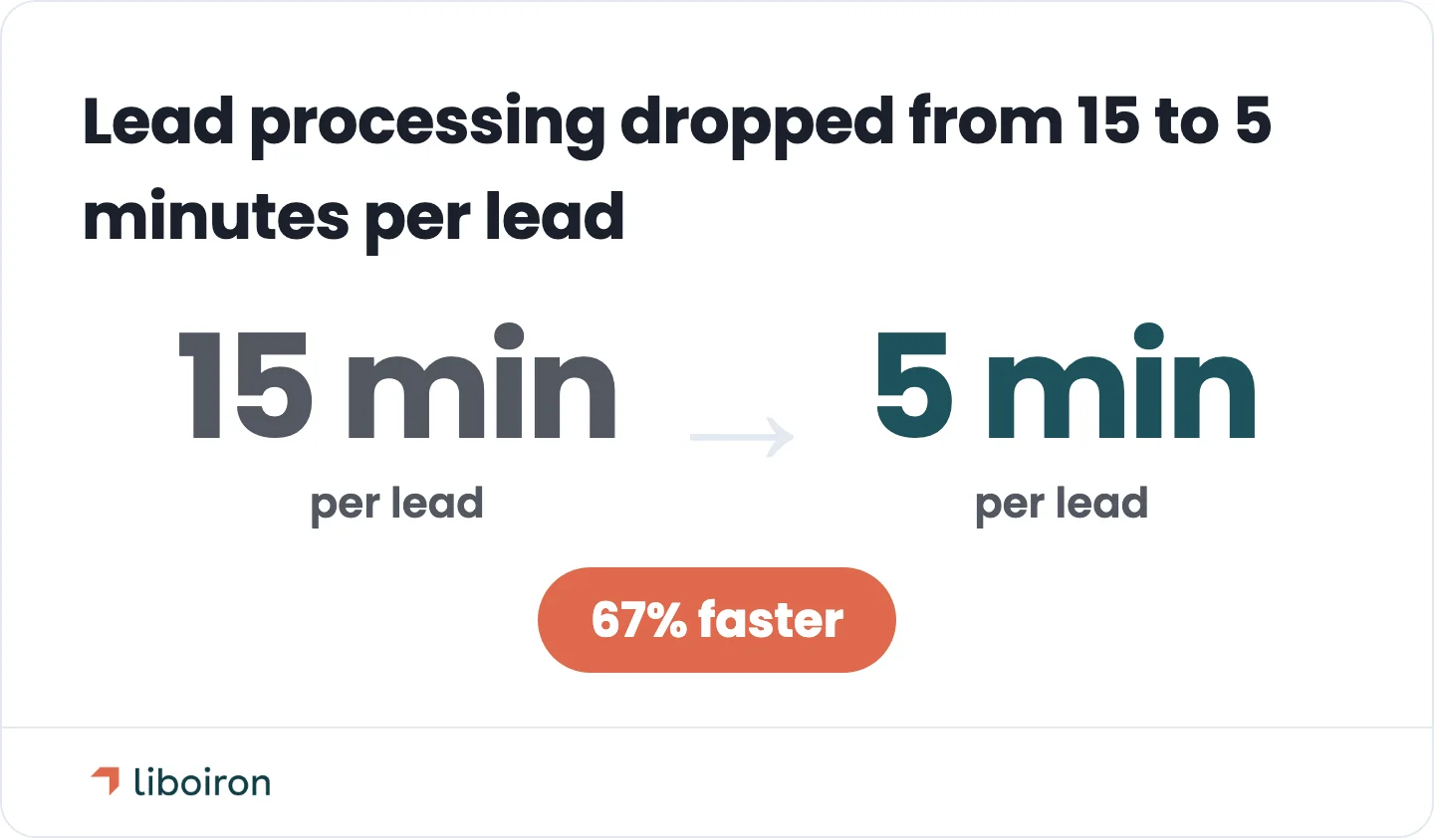
Connecting every lead source is where this pays off fastest. When we rebuilt the CRM for Multilogements ChezTOIT, a Quebec property firm, we connected all of their lead sources, including Facebook Lead Ads, into Pipedrive. Lead processing went from 15 minutes to 5 minutes, a 67% reduction, and the team saved more than 5 hours a week. No lead sat waiting in a separate inbox.
Customer Support and Helpdesk
Support integrations put your help desk tickets on the same record as the sale, so the whole account is visible in one place. Zendesk, Intercom, Front, and Freshdesk connect support conversations to the Pipedrive contact, which means a rep can see open tickets before a renewal call and an account manager isn't blindsided by a problem the support team already knows about.
For any business where the same customer buys again, this shared view is what keeps sales and support from working against each other.
Project and Task Management
Project management integrations hand a won deal off to the team that delivers it, without re-keying anything. Asana, Trello, and Monday.com can create a project or a task set the moment a deal closes, populated with the details from Pipedrive. The delivery team starts with what they need, and nothing gets lost in the gap between "sold" and "started."
This is the connection that keeps operations and sales in sync, which matters most for teams that sell a project and then have to build it.
Automation and Integration Platforms
When a tool has no native Pipedrive app, an automation platform connects it. Zapier links Pipedrive to thousands of apps with no code, and a no-code automation layer can move data between any two systems on rules you set. This is the glue for the long tail: the niche industry tool, the internal database, the app that never built a native connector.
The tradeoff is ownership. An automation layer is powerful, but it needs someone to design it, test it, and maintain it as your tools change. Left unmanaged, it's also the easiest place for a broken connection to go unnoticed.
How to Choose the Right Pipedrive Integrations
Start from your actual stack and workflow, not a list of popular apps. The best integration is the one that removes a step your team repeats every day, and that's different for a 20-person contractor than for a manufacturer running a sales desk.
A practical order of priority for most SMBs:
- Communication and email or calendar first. These touch every deal and deliver the fastest, most obvious return.
- Lead sources next. Connecting where your leads come from means nothing falls through the cracks between a form and the pipeline.
- Accounting and documents after that. These remove the slow, error-prone handoffs once the front end is clean.
Then a few rules that save pain later. Test an integration on real data before you commit the whole team to it. Check the cost and whether it scales as you grow. And give every connection an owner, so when a field changes or an app updates, someone catches it.
This is the part a flat app list skips, and it's the part we handle. We pick integrations by your stack and industry, build them, and stand behind the result. Our pricing is tied to outcomes, not hours, so we're on the hook for connections that actually work. You can see how we scope a build on our CRM implementation page or walk through our methodology.
How Long Does a Pipedrive Integration Take?
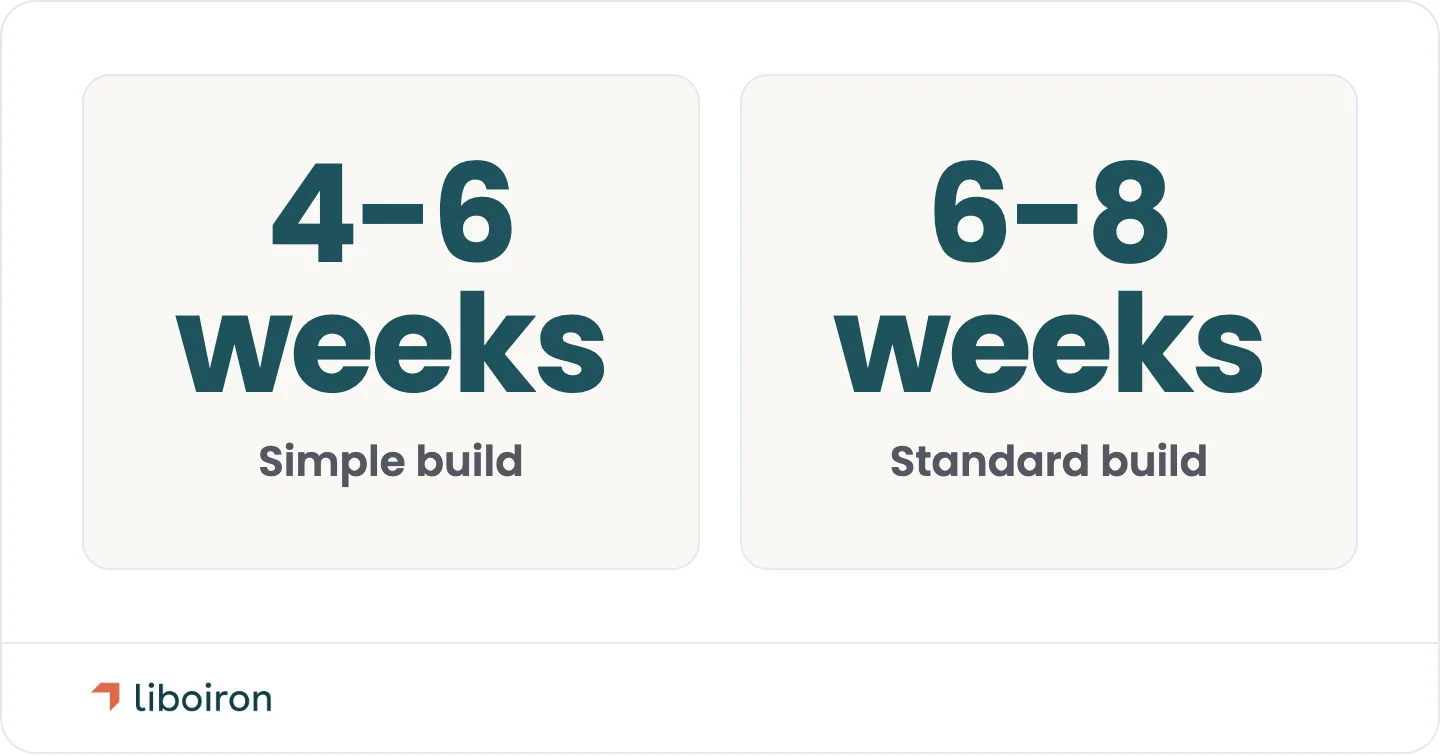
A working Pipedrive setup takes weeks, not clicks. A simple build runs 4 to 6 weeks, and a standard one 6 to 8 weeks, from planning through testing to a system your team actually uses. Installing a single native app is fast. Wiring a set of integrations that dedupes records, maps fields correctly, and holds up under daily use is a project.
That gap is where expectations usually break. Marketplace apps promise a one-click install, and for one simple connection that's true. But a CRM connected to your phone system, your inbox, your lead sources, and your accounting, with clean data across all of it, takes planning and testing.
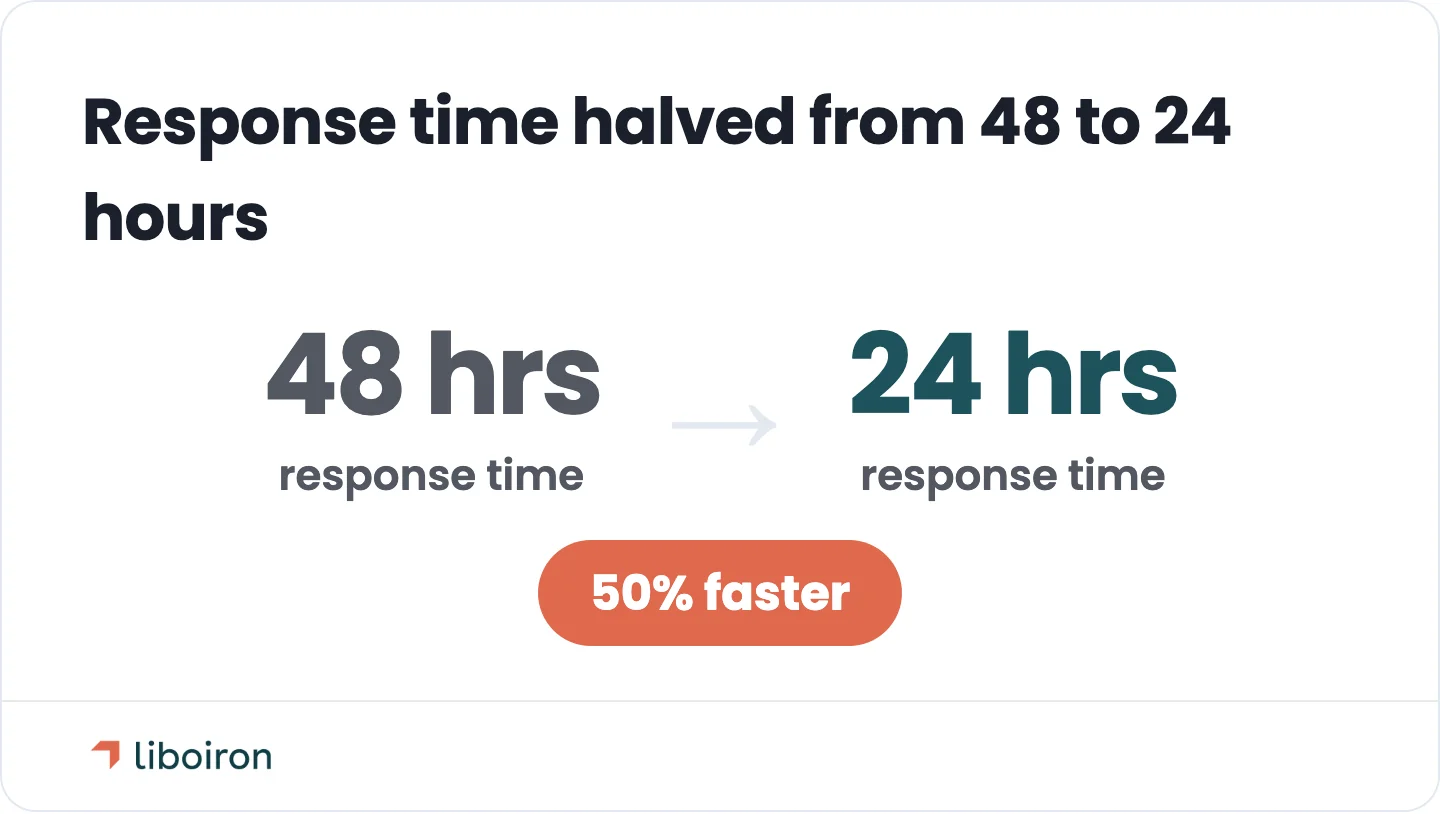
The result is worth the wait when it's done right. For Réseau MaClinique, a Quebec commercial real estate developer, we replaced spreadsheets with Pipedrive, automated the lead intake, and built reporting dashboards. Response time dropped 50%, from 48 hours to 24 hours. That came from connected, owned integrations, not from installing an app and hoping.
Common Pipedrive Integration Mistakes to Avoid
The most common integration mistakes come from adding apps faster than anyone can maintain them. A few patterns show up again and again:
- Over-integrating. Bolting on every app that seems worth having creates a web of connections nobody owns, and the more you add, the more there is to break.
- Duplicate records. Connecting two systems that already hold the same customers, without a plan to match them, spawns duplicates that quietly corrupt your reporting.
- No owner. An integration with no one responsible for it will drift. Fields change, apps update, and a silent break can go unnoticed for weeks.
- Trusting a weak native connector. Some native integrations, like the QuickBooks one, aren't strong enough for real use. Forcing an important workflow through one is how bad data gets in.
Avoiding these is less about which apps you pick and more about building the connections deliberately and keeping someone accountable for them.
Frequently Asked Questions
How do I add an integration to Pipedrive?
For native integrations, open the Pipedrive Marketplace, find the app, and install it, then authorize the connection between the two tools. For a tool without a native app, you connect it through an automation platform or Pipedrive's open API. Simple native apps take minutes. A connection that syncs cleanly across your whole stack takes planning.
Are Pipedrive integrations free?
Some are, many aren't. A number of Marketplace apps are free to connect, but plenty of the tools you're integrating (the phone system, the accounting software, the automation platform) carry their own subscription. Budget for the cost of the connected tools and, for anything custom, the work to build and maintain the connection.
Does Pipedrive have an API?
Yes. Pipedrive publishes an open API that lets developers build custom integrations and connect tools that don't have a native Marketplace app. It's how the deeper, non-standard connections get made, and it's the path for any workflow the off-the-shelf apps can't handle.
Does Pipedrive integrate with Microsoft 365 and Outlook?
Yes. Pipedrive offers two-way email and calendar sync with Microsoft 365 and Outlook, so emails and meetings log against the right deal automatically. It offers the same native sync for Gmail and Google Workspace.
Does Pipedrive integrate with phone and VoIP systems?
Yes. Pipedrive connects to calling and VoIP tools like Aircall, CloudTalk, and Talkdesk. These log calls automatically against the contact and can trigger follow-up tasks, so call activity lands in the CRM without anyone typing it in.
Can I run multiple Pipedrive integrations at once?
Yes, and most teams do. Pipedrive is built to run many integrations together, connecting your email, phone, lead sources, and accounting at the same time. The catch is coordination. The more connections you run, the more it matters that they're set up to share data cleanly instead of creating duplicates.
Does Pipedrive store Canadian data in Canada?
Yes. In 2026 Pipedrive opened a Montreal data centre, so Canadian customers can keep their CRM data hosted in Canada. As you connect Pipedrive to your other systems, that keeps your customer data on Canadian soil and helps meet data-residency rules like Quebec's Law 25, which matters when you're bidding on contracts that require local data storage.
The Bottom Line
Pipedrive integrations turn a CRM from a contact list into the hub your whole operation runs through. The tools that matter most (communication, email and calendar, lead sources, and accounting) are the ones that remove the manual steps your team repeats every day. But the return comes from the right integrations, built to share data cleanly, with someone accountable for keeping them working. That's the difference between a stack that runs itself and one that quietly falls out of sync.
At Liboiron, we plan, build, and maintain Pipedrive integrations for Canadian SMBs as a Montreal-based Pipedrive Service Partner, and our pricing is tied to the results we deliver, not the hours we bill. That's how a property team cut lead processing 67% and a real estate developer halved its response time: connected, owned integrations, not apps installed and forgotten.
If your Pipedrive isn't connected to the tools your team actually uses, book a free strategic call and we'll map out what to connect first. You can also verify our track record on our Pipedrive Service Partner Directory profile.