Table of Contents
Data entry automation uses software to capture, structure, and enter information automatically, so your team stops retyping data by hand. It replaces the copy-paste work of moving figures between emails, PDFs, spreadsheets, and business systems.
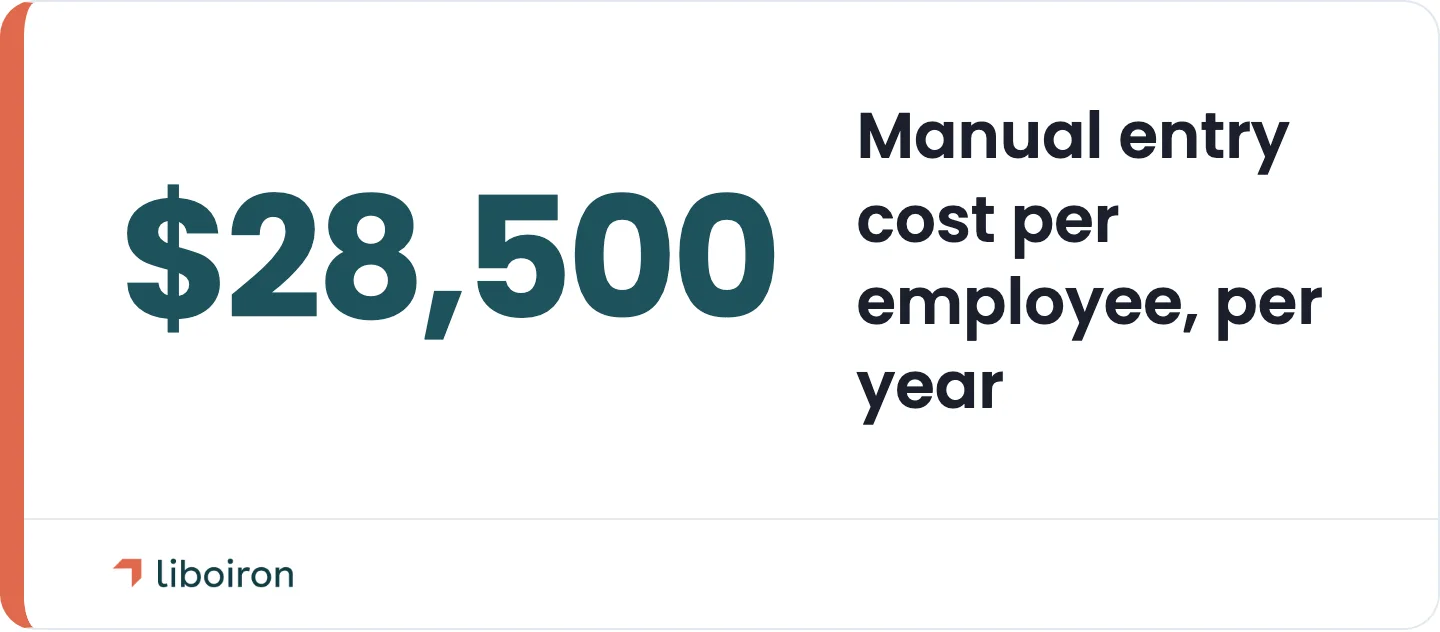
That manual work adds up. Employees spend more than 9 hours a week transferring data between documents and apps, and manual entry costs U.S. companies roughly $28,500 per employee each year, according to a survey of 500 U.S. professionals in the Manual Data Entry Report. The good news is that most of it can be automated, and the parts that can't are usually easy to spot.
This guide covers the main methods of data entry automation, how the process works, how to decide what to automate versus what to keep human, where Canadian SMBs use it, and the return you can expect. At Liboiron, we build these systems for manufacturing and construction teams across Canada, with pre-built AI agents and a results-guaranteed model, so the framework below is the one we use on real projects.
Key Takeaways
- Data entry automation is a mix of methods, not one tool. OCR, document parsing, robotic process automation, AI agents, and direct integrations each fit a different type of data.
- The decision that matters most is what to automate versus what to keep human. Structured, repetitive data automates cleanly. Judgment-heavy work keeps a person in the loop.
- The return is time and accuracy. U.S. employees spend 9-plus hours a week moving data by hand, and automation hands most of that time back while cutting error rates sharply.
- Unstructured data and no system access are where do-it-yourself tools break. That is the line where a done-for-you build usually pays off.
What Is Data Entry Automation?
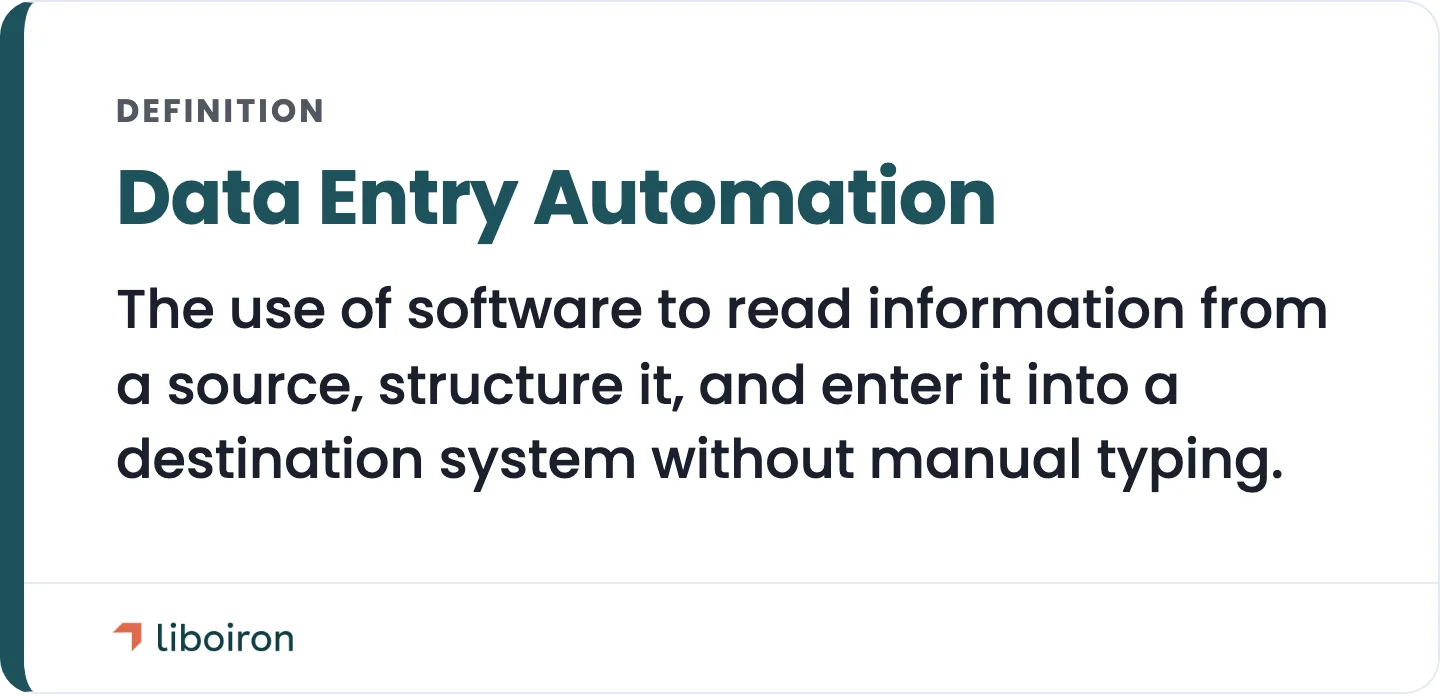
Data entry automation is the use of software to read information from a source, structure it, and enter it into a destination system without manual typing. The source can be an email, a PDF invoice, a paper form, a web page, or another app. The destination is usually a CRM, an accounting tool, an ERP, or a spreadsheet.
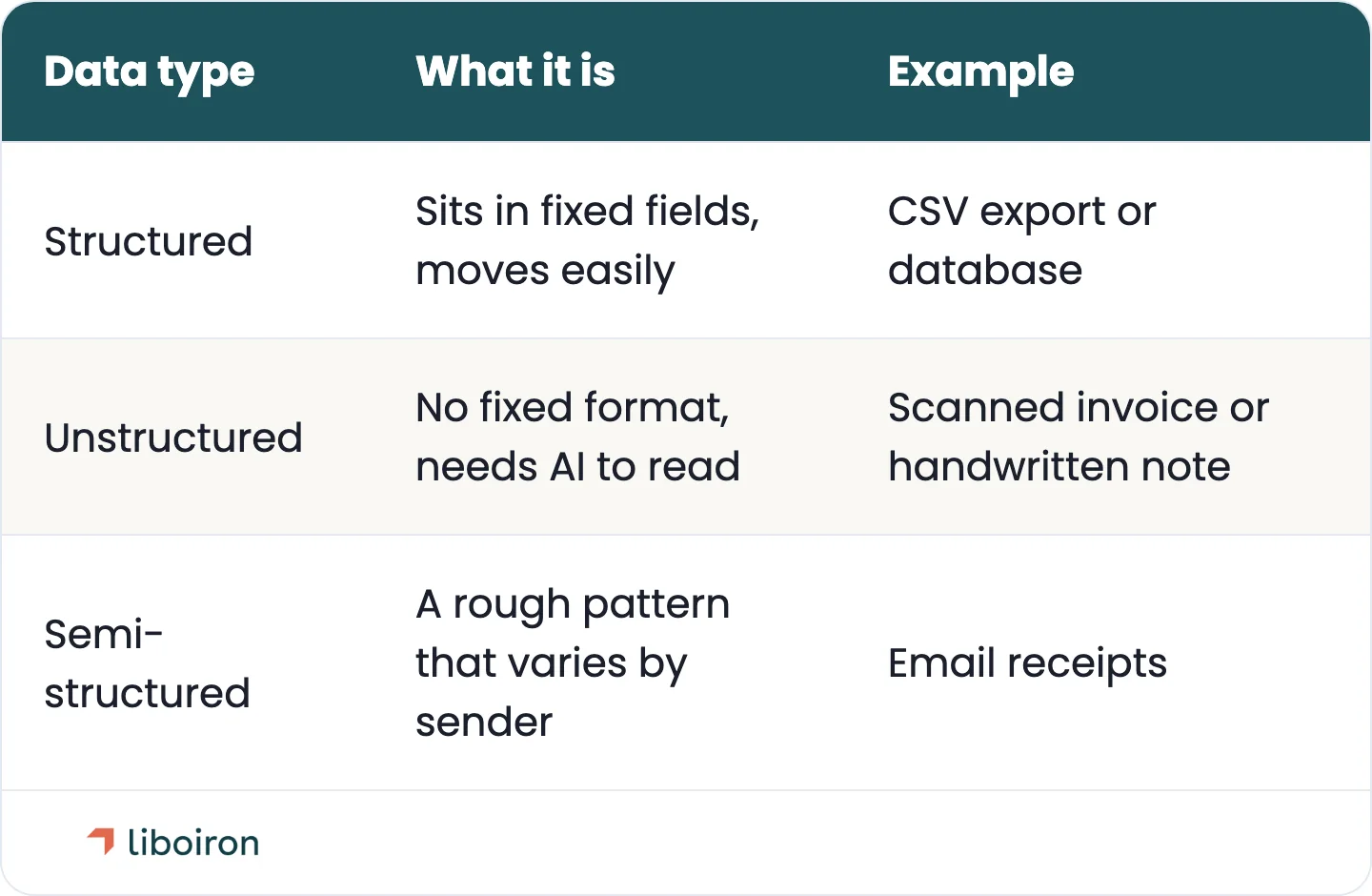
The method you need depends on the shape of the data. Structured data sits in fixed fields, like a CSV export or a database, and moves easily. Unstructured data has no fixed format, like a scanned invoice or a handwritten note, and needs AI to read it. Semi-structured data falls in between, like email receipts that follow a rough pattern but vary by sender. This distinction drives every decision that follows.
Manual entry is slow and error-prone, and the hidden cost shows up in rework, late invoices, and bad reporting. We cover the full cost of manual errors in our guide to the hidden costs of manual data entry in a factory. The rest of this guide focuses on the fix.
The Main Methods of Data Entry Automation
There are six core methods of data entry automation, and most real projects combine two or three. Each one suits a different data type, so the goal is to match the method to the job rather than force one tool to do everything.
- Optical Character Recognition (OCR) turns scanned documents and images into machine-readable text. Best for digitizing paper: receipts, printed forms, and shipping documents.
- Intelligent Document Processing (IDP) uses AI to read unstructured documents, like PDF invoices or emails, and pull out the right fields even when the layout changes. Best for variable documents that OCR alone can't handle.
- Robotic Process Automation (RPA) uses software robots that copy the clicks and keystrokes a person would make, moving data between apps. Best for repetitive transfers between systems that don't connect on their own, like a spreadsheet into a web portal.
- AI agents go beyond fixed rules. They read context, make simple decisions, and act across several systems, which is why we describe them as virtual employees. Best for mixed tasks that involve light judgment, like drafting an order from a messy email.
- Browser and web automation fills web forms and pulls data out of web apps automatically. Best for web-portal data when there is no direct connection available.
- Direct integration (API) connects two systems so data flows between them without anyone re-keying it. Best when both tools expose a connection, such as syncing your CRM with QuickBooks. When it's available, it's the cleanest and most reliable method.
Here is how the methods line up against the data you're dealing with.
The tool market splits along the same lines: document parsers and IDP platforms, RPA software, integration platforms, and AI agents. We build and manage these methods so the tooling fits your systems instead of the other way around. For a closer look at two of these methods, see our guides to RPA for manufacturing and how APIs let your tools talk to each other.
How Data Entry Automation Works, Step by Step
Every data entry automation follows the same four steps, whatever methods it uses. Understanding the flow makes it easier to see where your own process could be automated.
- Capture. The system pulls data from the source: an incoming email, an uploaded PDF, a web form, or another app.
- Extract and structure. OCR, IDP, or an AI agent turns the raw input into clean, labelled fields.
- Validate. Rules and a human review flag anything that looks wrong, like a missing total or a duplicate, before it reaches your records.
- Sync. The clean data lands in the destination system: your CRM, QuickBooks, ERP, or spreadsheet.
The validate step is the one teams skip and later regret. Automation moves fast, so a small error can spread across hundreds of records before anyone notices. A validation layer, with a person checking the exceptions, keeps speed and accuracy together.
What to Automate, and What to Keep Human
The most important decision in any data entry project is what to automate and what to leave to a person. Get this right and automation is reliable. Get it wrong and you automate mistakes at scale. Work usually falls into three tiers.
- Simple and structured, so full automation. Data that lives in the same place every time and needs no judgment. System-to-system transfers, form generation, and moving records during a migration. Automate these completely.
- Semi-structured, so AI-assisted. Data with a rough pattern that varies, like emails, receipts, or support tickets. Use OCR and AI to read it, with a quick human review of anything unusual.
- Complex and judgment-heavy, so human-in-the-loop. Work that depends on a decision, like approving an exception or interpreting a policy. Automate the gathering and prep, then let a person make the call.
Before we build anything, we ask four questions to place the work on that scale:
- Is the source data in the same place and format every time?
- Is there a connection or API to the systems involved?
- What does the current process actually look like, step by step?
- Does the work require human judgment, or just accurate handling?
The answers decide the method and the level of automation. This mapping is the core of how we work, from Discover through Deploy, and you can see the full approach on our methodology page.
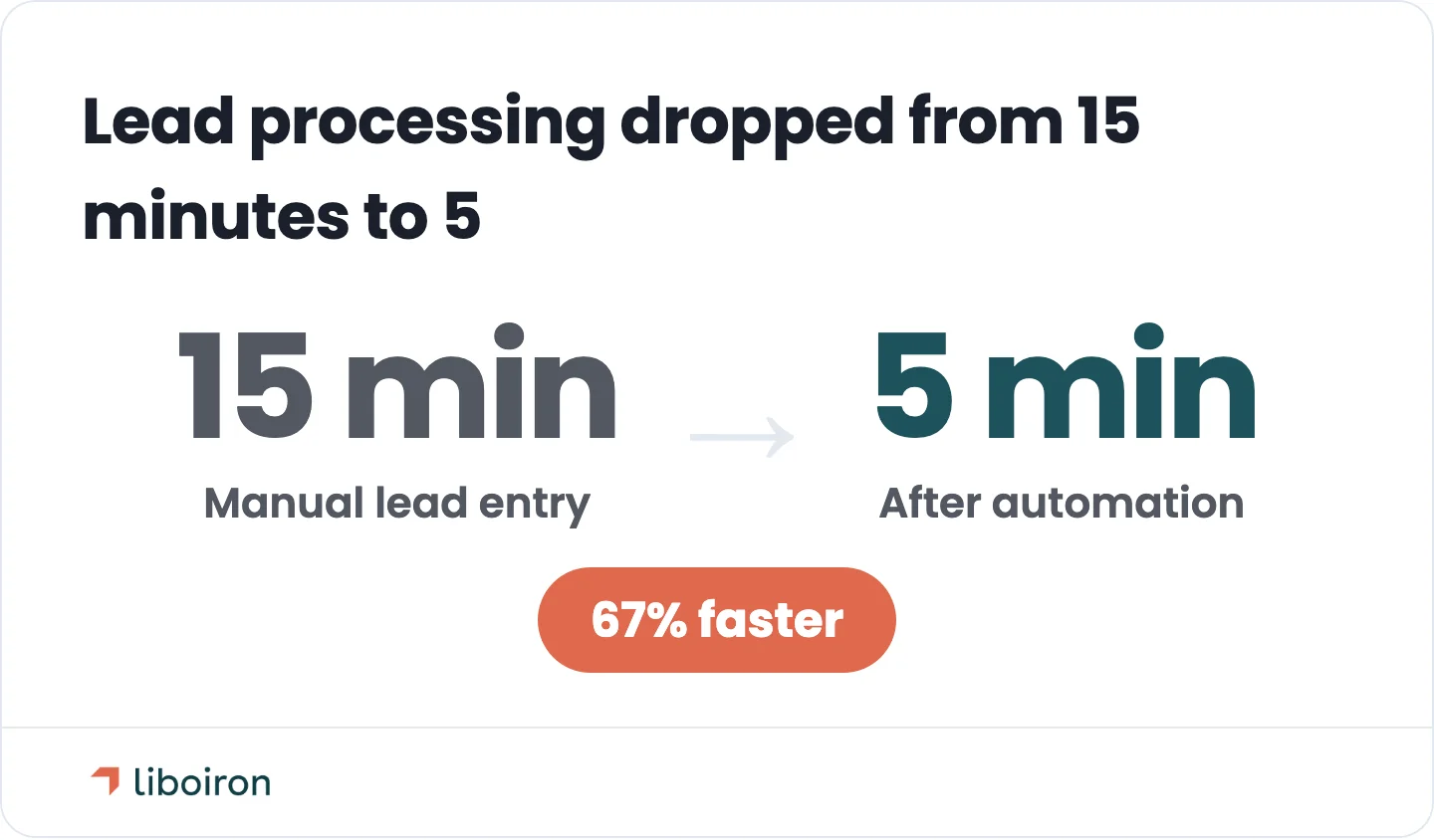
Two examples show what happens when the scoping is right. Groupe EEA, a Quebec construction company with 300 employees, ran emergency staffing on a manual spreadsheet and text-message process. We replaced it with an automated system that hit zero roster errors and cut mobilization time by 50 percent, from two hours to one for 200 people (Groupe EEA case study). Multilogements ChezTOIT was entering rental leads by hand. After we automated lead intake into their CRM, lead processing got 67 percent faster, dropping from 15 minutes to 5, and the team saved more than 5 hours a week (ChezTOIT case study).
Where Canadian SMBs Use Data Entry Automation
Data entry automation shows up wherever the same information gets typed twice. For SMBs in manufacturing and construction, a handful of use cases deliver most of the value, and each one maps to a specific automation we can deploy.
- Accounting and invoices. Three-way matching checks that a purchase order, an invoice, and a receiving slip agree before a bill gets paid. Our Invoice Matching Agent does this automatically, so finance stops keying invoice data by hand.
- Order processing. Orders arrive as emails or PDFs and get retyped into an ERP or store. Our Order Assistant Agent reads the incoming order and drafts it directly in the system.
- HR and payroll. Timesheets get collected, totalled, and checked for overtime or vacation issues by hand each pay period. Our Payroll Approval Agent compiles them and flags the exceptions.
- CRM lead intake. Leads from web forms and ad campaigns get copied into the CRM one by one. Automating intake sends them straight into a system like Pipedrive with no re-keying, which is a core part of our CRM implementation work.
- Manufacturing and construction admin. Work orders, production logs, and project data move between disconnected tools. We break down this specific area in our guide to automating administrative tasks for manufacturers.
Connecting these systems is where most of the gain sits. Syncing your CRM to your accounting tool, for example, means a closed deal becomes a QuickBooks invoice without anyone typing it twice. We build that connection as a managed integration layer rather than relying on a weak native connector, so the deal-to-invoice sync actually holds up.
The ROI of Automating Data Entry
The return on data entry automation comes from three things: recovered time, fewer errors, and lower operating cost. The time figure alone is large. Employees lose more than 9 hours a week to manual entry, and in the U.S. the work costs about $28,500 per employee a year, per the Manual Data Entry Report, a survey of 500 professionals. That same report found 56 percent of workers feel burnt out by repetitive tasks, so the cost isn't only financial.
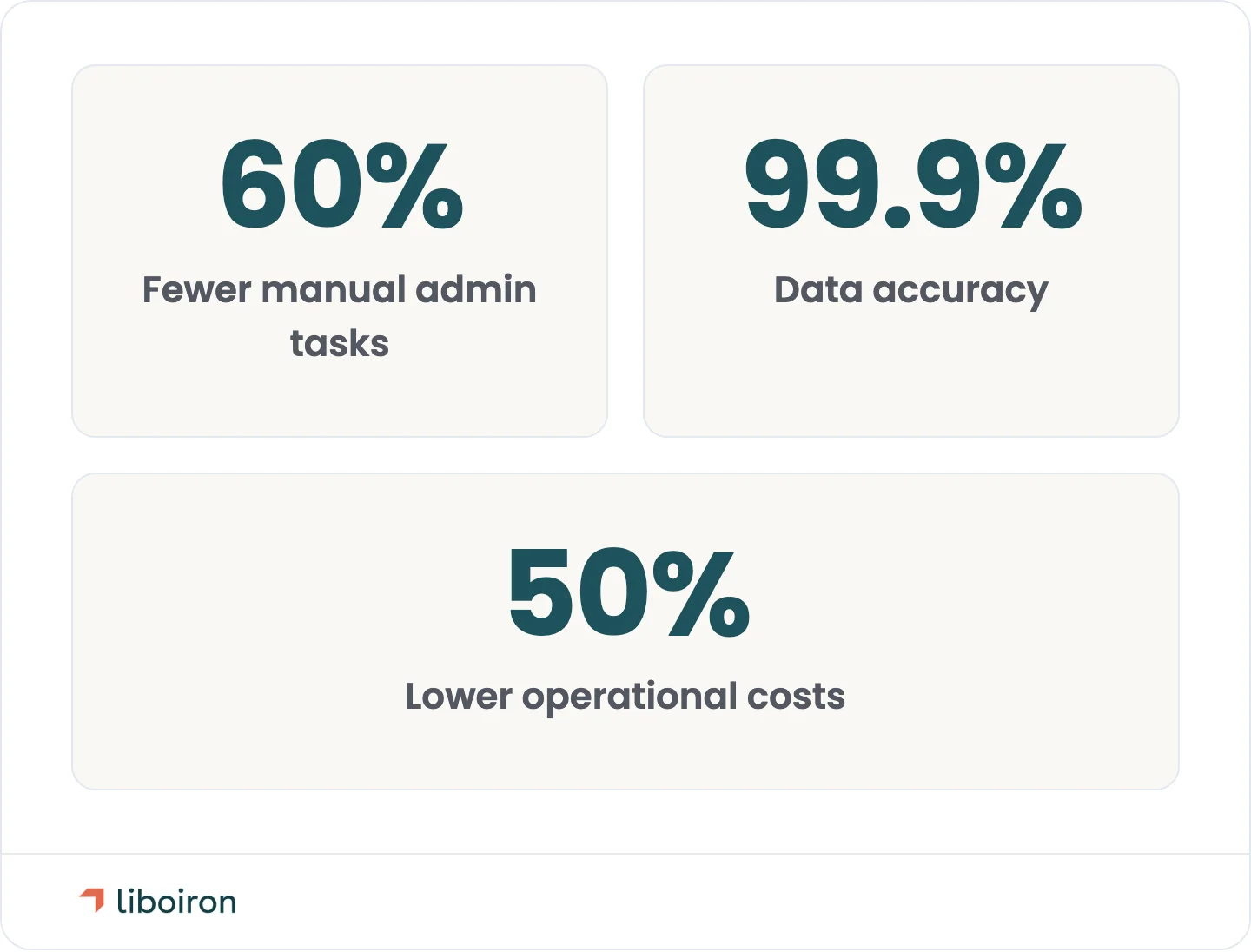
Accuracy is the other half. Automated capture with a validation step catches errors that manual typing lets through, which protects your reporting and your customer relationships. Across our own projects, clients see a 60 percent reduction in manual administrative tasks, 99.9 percent data accuracy, and 50 percent lower operational costs on the workflows we automate. Those are averages across our client work. You can see individual project results in our case studies.
Two numbers matter more than any benchmark: how many hours your team loses now, and how many of those hours are automatable. Our ROI calculator helps you put a figure on the time and money automation could save your team.
Common Challenges, and How to Avoid Them
Data entry automation is straightforward when the data is clean and the systems connect. It gets harder in a few predictable places, and knowing them upfront saves money.
- Unstructured and handwritten data. Free-form documents and handwriting are where cheap tools stall. This needs IDP and AI, tuned to your specific documents.
- Legacy and disconnected systems. Older software without a connection forces browser automation or a custom bridge. It's doable, but it's not a plug-in job.
- Cost creep. Do-it-yourself paths look cheap until the connection fees and maintenance stack up. Practitioners in automation communities warn that per-task and API costs add up faster than expected.
- The no-code wall. Many free tools work until you hit unstructured data or need real logic, and then they require coding. This is the most common reason a do-it-yourself project stalls.
- Data security. Automated workflows handle sensitive records, so access controls and safe data handling matter, especially for Canadian businesses managing customer information.
This is where a done-for-you build earns its keep. Our founder spent more than 18 years in industrial automation before starting the company, so we handle the mixed, messy cases that off-the-shelf tools can't. Our results-guaranteed model means you pay for outcomes, not billable hours, which removes the cost-creep risk that stalls do-it-yourself projects. You can explore the full scope on our AI agents and process automation page.
Also read:
Frequently Asked Questions
What are the main types of data entry automation?
The main types are OCR, Intelligent Document Processing (IDP), Robotic Process Automation (RPA), AI agents, browser automation, and direct system integration. OCR and IDP read documents, RPA and browser automation move data between apps, and integrations connect systems directly. Most projects combine a few, matched to the data.
Is there an AI tool for data entry?
Yes. AI document parsers, IDP platforms, and AI agents can read documents and enter data automatically. The right choice depends on your data type and the systems involved, which is why many SMBs use a managed build rather than a single off-the-shelf tool, so the automation fits their existing workflow.
Can automation fully replace manual data entry?
No, not entirely. Structured, repetitive entry can be fully automated, but judgment-heavy work still needs a person in the loop. The best setups automate the routine capture and validation, then route the exceptions to a human, which is faster and more accurate than automating everything.
How much does data entry automation save?
In the U.S., manual data entry costs about $28,500 per employee a year and consumes 9-plus hours a week, according to the Manual Data Entry Report, so automating it recovers most of that time and cost. Across our own client projects, that translates to a 60 percent reduction in manual administrative tasks and 50 percent lower operational costs on the automated workflows.
The Bottom Line
Data entry automation is not one tool but a set of methods: OCR, IDP, RPA, AI agents, browser automation, and direct integration, matched to the shape of your data. The win comes from automating the repetitive, structured work while keeping a person on the judgment calls. Done right, it recovers hours every week and cuts the errors that quietly damage your reporting.
The hard part is scoping it correctly, and that's the work Liboiron does for manufacturing and construction teams across Canada. We map your processes, deploy pre-built AI agents like invoice matching and order processing, and back it with a results-guaranteed model, so you pay for outcomes, not hours.
If manual entry is slowing your team down, book a free strategic call and we'll show you what's worth automating first.