Table of Contents
HubSpot is one of the most widely adopted CRMs on the market. But signing up for an account and actually implementing it are two different things. More than half of CRM implementations fail to meet their objectives. The main reason is not the software. It is poor planning, rushed data migration, and teams that never adopt the tool.
This guide covers what a successful HubSpot implementation looks like for small and mid-sized businesses: how to choose the right Hubs, configure your CRM to match how your team actually works, migrate data without breaking things, and get your team to use it.
Key Takeaways
- More than half of CRM implementations fail to meet their objectives. The cause is usually poor planning and low adoption, not the software.
- Hub selection determines scope. Choosing which HubSpot Hubs you need sets your timeline, cost, and complexity.
- Data migration is the riskiest phase. Rushing it causes duplicates, broken records, and months of cleanup.
- Adoption is the real success metric. A CRM nobody uses is worse than no CRM at all.
- A 3-month implementation is realistic for SMBs. We took a packaging manufacturer from 0% to 80% CRM adoption in that window.
What HubSpot Implementation Actually Involves
HubSpot implementation is the process of configuring, customizing, and deploying HubSpot CRM to match how your team sells, services, and reports. It is not the same as onboarding, which is HubSpot's guided setup for new accounts.
Onboarding walks you through the basics: connecting your email, importing a contact list, creating your first deal. Implementation goes deeper. It includes mapping your sales process to custom pipelines, migrating data from your previous system, building automations that reduce manual work, and training your team to use the tool as part of their daily workflow.
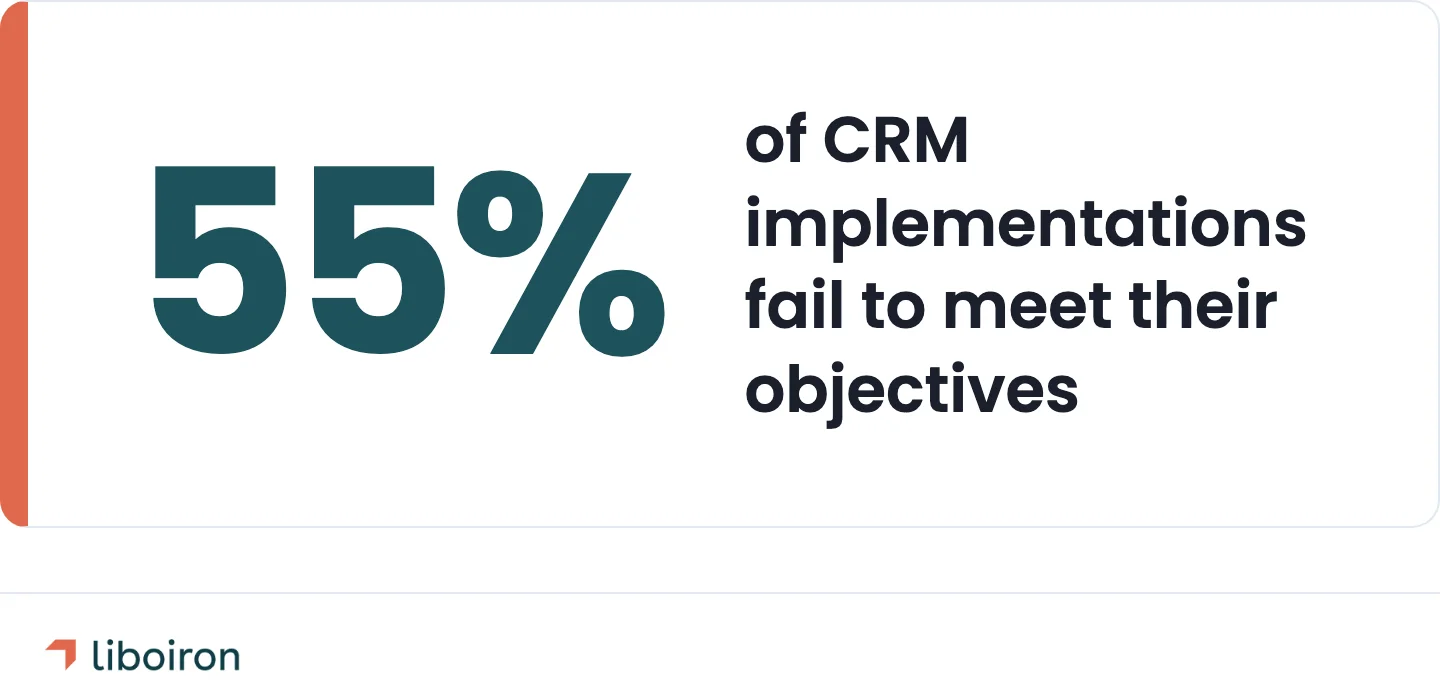
The difference matters because 55% of CRM implementations fail to meet their planned objectives, according to Johnny Grow's research. The failures rarely come from picking the wrong platform. They come from skipping the foundational work: unclear goals, dirty data, and teams that never learn to use the tool properly.
Which HubSpot Hubs Do You Need?
Start with the Hubs that solve your most urgent pain point. Most small businesses begin with Sales Hub, then add Marketing or Service Hub as they grow.
HubSpot organizes its platform into five Hubs. Each one maps to a business function:
- Sales Hub handles pipeline management, deal tracking, email sequences, and sales reporting. If your team is managing deals in spreadsheets, this is where you start.
- Marketing Hub covers lead generation, email marketing, landing pages, and campaign analytics. Best for teams that need to capture and nurture leads before handing them to sales.
- Service Hub manages support tickets, customer feedback, knowledge bases, and SLAs. Add this when customer retention becomes a priority.
- Operations Hub syncs data between tools, automates data cleanup, and builds programmable automation. Add this when you have multiple systems that need to talk to each other.
- Content Hub is HubSpot's website and blog builder. Most SMBs already have a website and skip this one.
Hub selection drives your budget. HubSpot prices are in USD globally. Starter plans start at ~CA$27 per seat per month (~US$20) per Hub. Professional tiers range from ~CA$137 to ~CA$1,220 per month (~US$100-890) depending on the Hub. Enterprise runs from ~CA$205 to ~CA$4,930 per month (~US$150-3,600). The Customer Platform bundle packages multiple Hubs together, starting at ~CA$27 per seat per month for Starter or ~CA$1,780 per month (~US$1,300) for Professional with 5 seats.
Pick the Hub that addresses your biggest operational bottleneck first. You can always add more later.
5 Phases of a HubSpot Implementation
Every HubSpot implementation follows the same core arc. The specifics change based on which Hubs you chose, how large your team is, and how complex your data is. Here is what each phase involves.
Phase 1. Discovery and Goal Setting
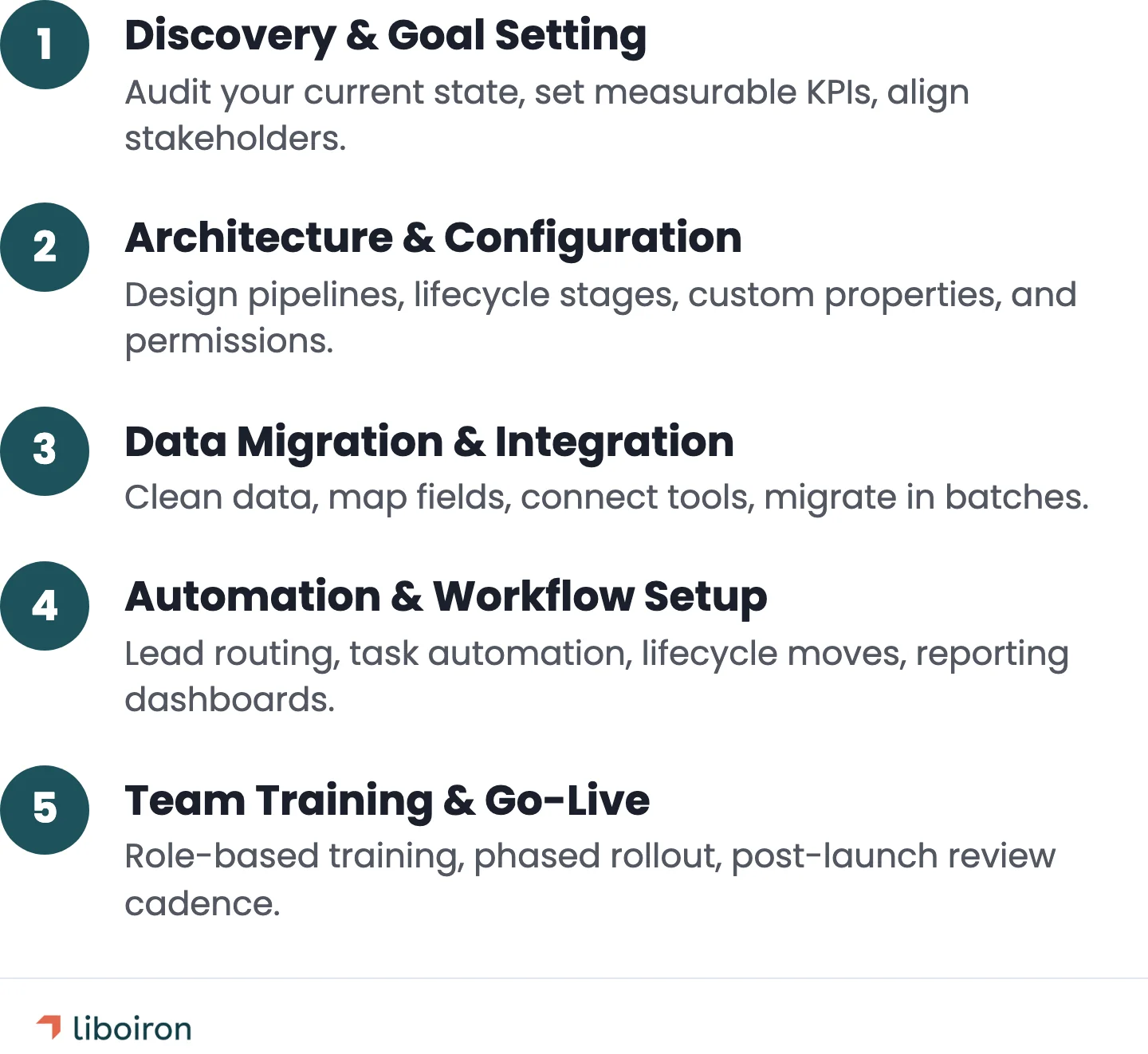
Define what success looks like before you open HubSpot. Every configuration decision flows from the goals you set in this phase.
Audit your current state. Where does your data live today? What tools are your teams using? Where do workflows break down? A manufacturing company might have customer data split across an ERP, spreadsheets, and email inboxes. A construction firm might track everything in one shared Google Sheet.
Set measurable KPIs. CRM adoption rate, pipeline accuracy, time-to-close, reporting coverage, and lead response time are common starting points. If you cannot measure it, you cannot tell whether the implementation worked.
Align stakeholders. Identify who owns the CRM, who uses it daily, and who needs reports from it. Someone with authority needs to champion the project. Without executive buy-in, adoption stalls.
We use a Discover, Design, Deploy, Evolve framework to structure this phase. Discovery alone usually takes 1-2 weeks for a small business. Skipping it is the most common reason implementations go sideways.
Phase 2. Architecture and Configuration
This is where you build HubSpot to match your sales process, not the other way around.
Design your pipelines. HubSpot's default deal stages are generic. Replace them with stages that reflect how your team actually moves deals forward. A B2B manufacturer's pipeline looks different from a property management company's leasing funnel.
Set up lifecycle stages. These track where a contact sits in your overall relationship: lead, marketing qualified lead (MQL), sales qualified lead (SQL), opportunity, customer. Customize them to match your funnel.
Create custom properties. These are the fields your team needs for decisions and reporting. Industry, deal size, product line, source channel. Only add properties people will actually fill in. Every unused field is friction that slows adoption.
Configure permissions. Decide who can view, edit, and delete records. Sales reps see their own deals. Managers see the team. Leadership sees dashboards.
Use the sandbox. HubSpot Professional and Enterprise plans include a sandbox environment. Build and test your configuration there before rolling it out to your live account. Testing in production is how you lose data.
Phase 3. Data Migration and Integration
Moving data into HubSpot is the highest-risk phase. Rushed migrations create duplicate records, broken associations between contacts and companies, and months of cleanup work.
Clean before you migrate. Audit your source data for duplicates, incomplete records, outdated contacts, and inconsistent formatting. Standardize phone numbers, dates, and currency fields. Remove contacts who have not engaged in 12+ months. If you are coming from another CRM, export everything and review it in a spreadsheet first.
Map your fields. Every field in your current system needs a corresponding HubSpot property. Contacts, companies, deals, and their associations all need explicit mapping. Missing a field mapping means losing that data during import.
Plan your CRM integrations. Most businesses need HubSpot connected to at least 2-3 other tools. ERP systems are the source of truth for production and inventory data. Quickbooks handles accounting. Communication tools like Slack or Teams need notifications.
For manufacturing companies, the ERP-CRM connection is critical. The ERP owns production schedules, inventory levels, and shipping status. HubSpot owns customer records, deal pipeline, and sales activity. Syncing the two means closed deals flow automatically into production orders, and shipping updates flow back into HubSpot so sales reps can tell customers where their order stands. According to Modgility's manufacturing integration guide, poor data quality across disconnected systems can cost businesses 12-25% in lost revenue. Map which data flows where, and which system is the source of truth for each data type.
Migrate in batches. Import contacts first, then companies, then deals. Spot-check associations after each batch. Check that contact-to-company and deal-to-contact relationships survived the import. Verify before moving to the next batch. A single broken association can cascade into reporting errors that undermine trust in the CRM.
For our Lovepac implementation, a packaging manufacturer, we paired migration with AI-powered data enrichment. New opportunities were automatically enriched as they entered HubSpot, giving the sales team richer records from day one. Integration with their existing automation workflows reduced the manual data entry that had killed adoption in their previous setup. The result: a CRM the team actually wanted to use because the data in it was accurate and current.
Phase 4. Automation and Workflow Setup
Automation turns HubSpot from a contact database into a tool that actively helps your team sell. Start with high-impact, low-complexity workflows.
Lead routing. Assign incoming leads to the right rep based on territory, deal size, product line, or round-robin rotation. No more leads sitting unclaimed in a shared inbox.
Task automation. Trigger follow-up reminders when a deal sits too long in one stage. Auto-log activities. Create tasks when lifecycle stages change.
Lifecycle automation. Move contacts through stages based on their actions: filling out a form, booking a meeting, having a deal created. This keeps your funnel data accurate without relying on reps to manually update records.
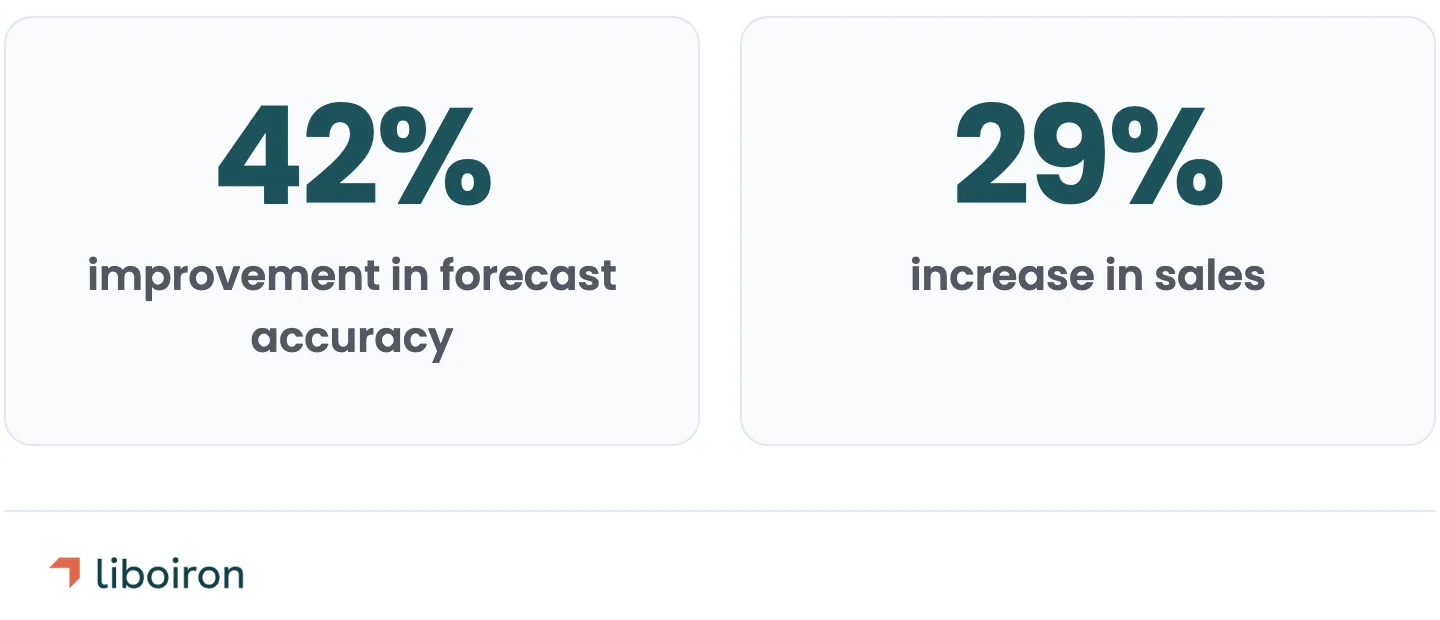
Build reporting dashboards. Give leadership the views they need: pipeline velocity, activity volume by rep, forecast accuracy, and deal conversion rates. According to CRM research aggregated by Nutshell, businesses using CRM see a 42% improvement in forecast accuracy and a 29% increase in sales.
Start with 3-5 core workflows. Expand after adoption stabilizes. Overbuilding automation on day one overwhelms users who are still learning the basics.
Phase 5. Team Training and Go-Live
Training determines whether your team actually uses HubSpot. Industry research consistently shows that fewer than 40% of CRM implementations achieve above 90% end-user adoption. The technical setup can be perfect, but if people revert to spreadsheets, the entire investment is wasted.
Use HubSpot Academy. Free certifications cover everything from CRM basics to advanced reporting. HubSpot Academy is a strong starting point, but it is generic. Your team also needs training specific to your pipelines, properties, and workflows. Schedule HubSpot Academy certifications before go-live so the team has baseline knowledge, then layer on custom training for your configuration.
Train by role. Sales reps need to know how to log deals, use sequences, and update records. Managers need to read dashboards, run reports, and coach from the data. Admins need to manage workflows and troubleshoot issues. One training session for everyone does not work. Build separate agendas for each group, and make them hands-on. Click-through demos are less effective than having people work in the live sandbox with their own deals.
Make CRM usage a job requirement. The most successful teams we have worked with adopt a clear rule: if it is not in HubSpot, it did not happen. Leadership has to enforce this. When CRM data drives pipeline reviews and compensation conversations, adoption follows. If management still accepts verbal updates instead of requiring reps to update deal stages, the CRM will stay empty.
Roll out in phases. Start with one team or department. Gather feedback, fix friction points, and iterate before expanding to the rest of the company. A phased rollout also lets you identify training gaps before they compound across the organization.
Build a post-launch review cadence. The first 90 days after go-live are when adoption either sticks or collapses. Schedule weekly check-ins to track adoption metrics, review workflow performance, and collect feedback. Common issues that surface in the first month: fields that take too long to fill, automation triggers that fire incorrectly, and reports that do not match how managers want to see data. Catching these early keeps the team engaged instead of frustrated.
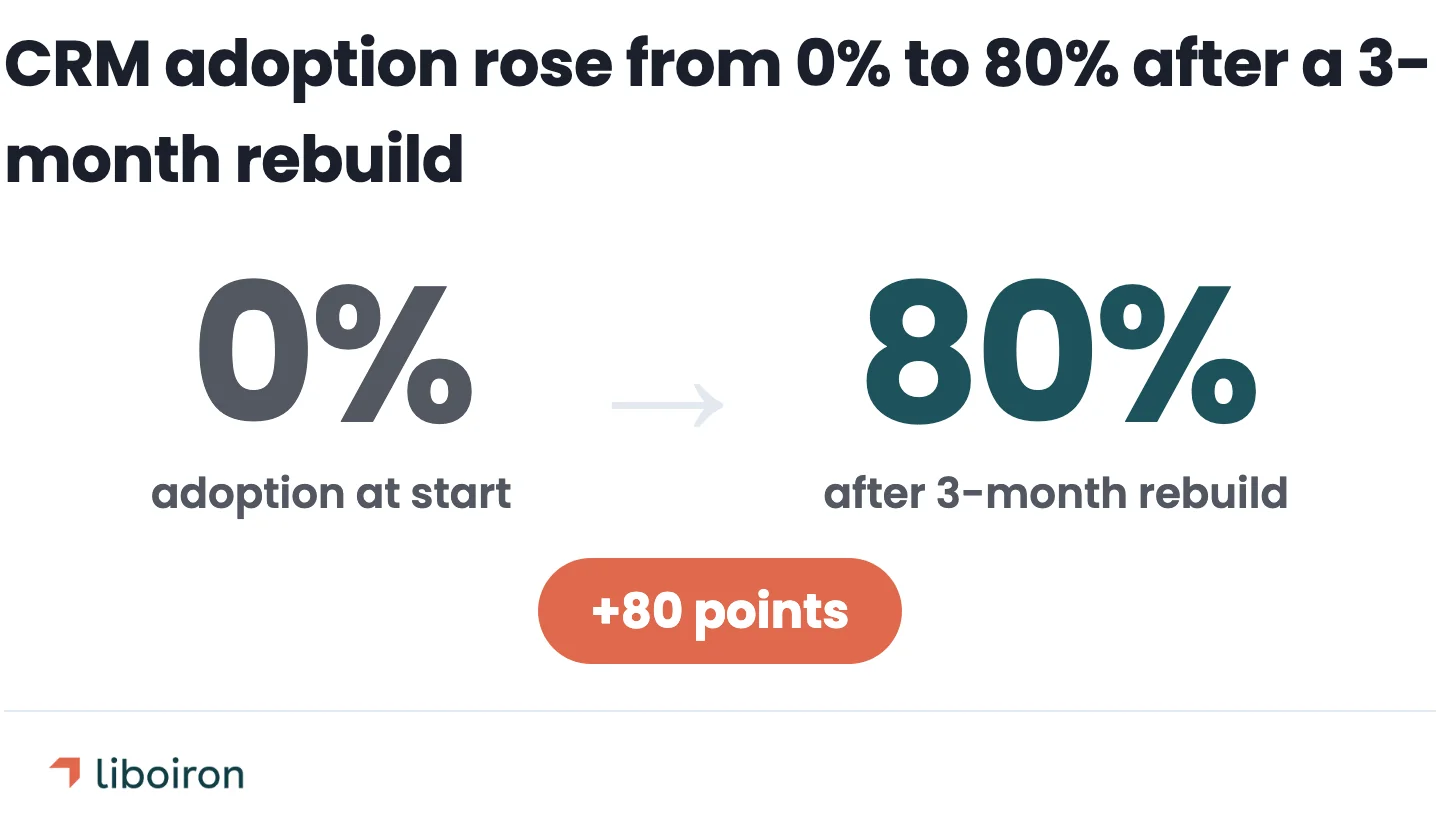
When we rebuilt Lovepac's HubSpot CRM, a packaging manufacturer, the VP of Sales had zero visibility into the pipeline. The team was using HubSpot at roughly 10% capacity. Nobody trusted the data, so nobody updated it. After a 3-month implementation that included restructured pipelines, 15 new reporting dashboards, and AI data enrichment that automatically populated prospect records, adoption went from 0% to 80%. The sales cycle shortened by 20% because reps could finally see their full pipeline and act on it instead of tracking deals in their heads.
Realistic Timelines and Costs
Most SMB HubSpot implementations take 4 to 12 weeks. Cost depends on how many Hubs you are implementing, how much data you are migrating, and whether you do it yourself or hire a partner.
Costs converted from USD for reference. HubSpot platform fees and most implementation agencies charge in USD.
HubSpot charges mandatory onboarding fees for new Professional (~CA$2,050 / ~US$1,500) and Enterprise (~CA$4,800 / ~US$3,500) accounts. These fees are waived if you work with a certified HubSpot Solutions Partner.
The hidden cost problem is real. According to industry research cited by Pixcell, 67% of SMEs underestimate their total CRM implementation costs by at least 40%. Data migration, integrations, and training are the line items most often missed in initial budgets.
Use a CRM ROI calculator before starting to model whether the investment makes sense for your team size and deal volume.
5 Common HubSpot Implementation Mistakes
Most failures come from skipping foundational steps, not from technical problems.
- Jumping to configuration without discovery. Building before mapping your sales process leads to a CRM that does not match how your team works. Redo it later or live with the friction.
- Migrating dirty data. Duplicates, missing fields, and outdated records follow you into HubSpot. Every problem in your old system becomes a problem in your new one unless you clean first.
- Overbuilding automation before adoption stabilizes. Complex workflows on day one overwhelm users who are still learning where to find things. Start simple, prove value, then add complexity.
- Treating training as a one-time event. Teams need role-specific training, ongoing reinforcement, and a feedback loop. A one-hour onboarding session does not build lasting habits.
- No post-launch optimization plan. The first 90 days after go-live determine long-term adoption. Build in weekly review cadences to catch issues early, adjust workflows, and respond to feedback.
DIY vs. Hiring a HubSpot Implementation Partner
If you have a technical team member who can dedicate 10 to 15 hours per week for 2 to 3 months, DIY is viable for a single-Hub Starter setup. For multi-Hub Professional or Enterprise implementations, hiring a partner typically pays for itself in time saved and mistakes avoided.
When DIY makes sense:
- Single Hub (usually Sales)
- Small team (under 10 users)
- Clean data or a fresh start (no migration)
- Someone on your team has time and HubSpot Academy training
When a partner makes sense:
- Multi-Hub implementation
- Data migration from another CRM or spreadsheets
- Integrations with ERP, accounting, or other business systems
- Tight timeline (need to be live in under 8 weeks)
- Previous CRM that did not work out (rebuild scenario)
One Reddit user in r/hubspot described their DIY experience as taking "3 months and 2-3 hours of overtime per day or sometimes weekends." They said it helped them understand the tool deeply, but the time commitment was significant. Multiple commenters in the same thread echoed a common view: "Better to get it right once than have to do it multiple times or fix it later."
The cost comparison is straightforward. A professional implementation for an SMB typically runs CA$5,500 to CA$20,500. A DIY approach costs nothing in fees but absorbs 200-300+ hours of internal time. If the person doing the setup earns CA$50-75 per hour, the "free" option costs CA$10,000 to CA$22,500 in labour alone, and takes longer.
What to look for in a partner: industry experience relevant to your business, proven case studies with measurable results, a clear scope and timeline, and a pricing model tied to outcomes rather than hours. Ask how they handle adoption. Any agency can configure pipelines and import data. The ones worth hiring are the ones who stay through training and the first 90 days of go-live support.
Also read:
Frequently Asked Questions
How long does a HubSpot implementation take?
Most SMB implementations take 4 to 12 weeks. A single-Hub Starter setup runs 2 to 4 weeks; a multi-Hub Professional rollout with data migration takes 6 to 12 weeks; enterprise projects with custom integrations run 3 to 6 months.
How much does HubSpot implementation cost?
A single-Hub Starter setup runs about CA$2,000 to CA$4,100, a multi-Hub Professional project with migration runs CA$5,500 to CA$20,500, and enterprise rollouts start around CA$20,500. HubSpot's mandatory onboarding fees for new Professional and Enterprise accounts are waived if you work with a certified HubSpot Solutions Partner.
What's the difference between HubSpot onboarding and implementation?
Onboarding is HubSpot's guided setup for new accounts — connecting email, importing contacts, creating a first deal. Implementation goes deeper: mapping your sales process to custom pipelines, migrating data, building automations, and training your team to use the tool daily.
Which HubSpot Hub should I start with?
Start with the Hub that solves your most urgent bottleneck, then add others as you grow. Most small businesses begin with Sales Hub for pipeline and deal management, then layer on Marketing or Service Hub later.
The Bottom Line
HubSpot implementation is a structured project, not a software signup. The businesses that get it right invest in discovery, clean their data, start with focused automation, and prioritize adoption over features. More than half of implementations fail because teams skip these steps.
Liboiron has implemented CRM systems for Canadian manufacturers, construction companies, and property managers, with published results across five case studies including the Lovepac HubSpot rebuild referenced in this guide.
If you are planning a HubSpot implementation and want to talk through your approach, book a free strategic call. Or explore how we structure implementation projects to see whether our process fits what you need.
Sources
- Johnny Grow: The CRM Failure Rate Is 55%
- HubSpot: CRM Implementation
- Nutshell: CRM Statistics
- Pixcell: How Much Does HubSpot Implementation Really Cost?
- Vorin: HubSpot Implementation Cost for Small Businesses
- HubSpot Academy
- Modgility: Integrating ERP and HubSpot in Manufacturing
- Reddit r/hubspot: Implementation Partner Discussion