Table of Contents
A CRM implementation plan is the phased roadmap that takes a CRM from purchase to daily use. It sets the goals, the order of work, the timeline, and who owns each step. Skip it, and you join the roughly 55% of CRM projects that miss their planned objectives.
We're Liboiron, a Montreal-based automation agency and Pipedrive Service Partner. We rebuild underused CRMs for Canadian SMBs in manufacturing and construction, including a packaging manufacturer whose CRM adoption went from 0% to 80% after a proper rollout. This guide gives you the exact plan we follow: six phases, a realistic timeline, the roles you need, and a checklist you can copy.
Key Takeaways
- A CRM implementation plan runs in 6 phases and takes 4 to 8 weeks for most SMBs. Larger builds run several months.
- Poor user adoption, not the software, is the number one reason CRM projects fail. Roughly 55% miss their objectives.
- Assign one accountable owner, not a committee. The role takes real, recurring time each week during the build, not a few spare minutes.
- Clean your data before you migrate it. Fixing bad data after it lands in the CRM costs far more time.
- Go-live is a milestone, not the finish line. Phase 6 is ongoing optimization, and it never really stops.
What a CRM Implementation Plan Is (and Why You Need One)
A CRM implementation plan is the structured process of configuring, integrating, migrating to, and launching a CRM so your team actually uses it. It turns a software purchase into an operational change project with phases, owners, and milestones. If you're still deciding whether a CRM is worth it at all, start with our guide on whether you need a CRM.
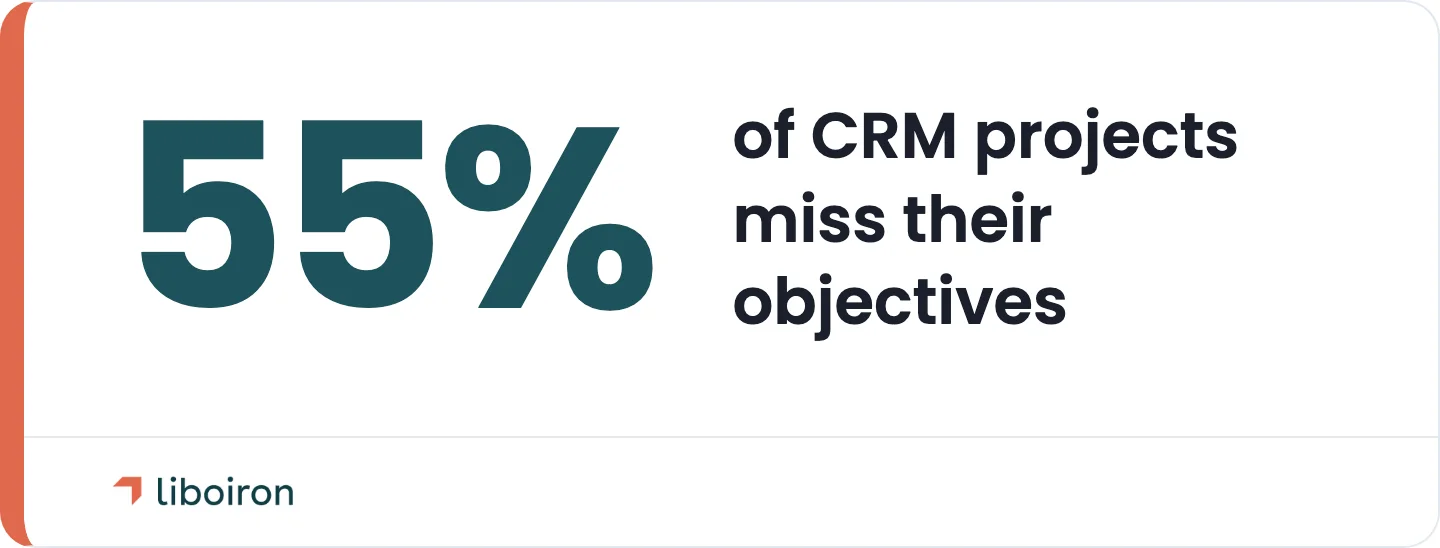
Most teams treat a CRM like an app they switch on. That is why so many rollouts stall. The Johnny Grow CRM Failure Report found that around 55% of CRM projects miss their planned objectives. The top cause is not the platform. It is poor user adoption. People keep working in spreadsheets and inboxes because the CRM was never built around how they actually work.
A written plan fixes that. It forces you to define the goal before you touch the software, assign a real owner, and sequence the work so nothing gets skipped. We've rebuilt a CRM that was running at 10% of its capacity, and the problem traced straight back to a launch with no plan behind it. The rest of this guide is the plan we use on client projects, laid out phase by phase.
How Long a CRM Implementation Takes
Most SMB CRM implementations take 4 to 8 weeks. A simple setup with clean data and few integrations can be live in 4 to 6 weeks. A standard build with custom workflows and several connected tools runs 6 to 8 weeks. Larger, multi-team rollouts with heavy data migration can run several months.
Here is how the ranges break down.
Real projects sit across that range. A Quebec property management team we rebuilt on Pipedrive was live in about 8 weeks, because their lead sources were scattered and needed to be connected first. A commercial real estate developer with a larger build and more historical data took closer to 5 months. The difference was not the software. It was data volume, the number of integrations, team size, and how much customization the workflow needed.
Generic advice says "6 to 12 weeks." That range is too wide to plan around. Scope your project against the tiers above, then map each phase to a week so everyone knows what happens when. You can see how we structure the work on our CRM implementation service page, and the Multilogements case study shows an 8-week Pipedrive rebuild end to end.
Who Owns the Plan: Your CRM Implementation Team
Every CRM implementation needs one accountable owner, not a committee. This is the single most common gap we see. When everyone owns the project, no one does, and the rollout drifts. Name one person, give them the authority to make decisions, and protect real time in their week for it during the build.
Around that owner, you need a small cross-functional team. Keep it lean. These are the roles that matter:
- Project owner (champion): Runs the day-to-day. Makes calls on fields, stages, and priorities. The single accountable person.
- Executive sponsor: A leader who wants this to work and will hold the team to it. Their real job starts at launch, when leadership either models daily use or quietly signals the CRM is optional.
- Department leads: One voice each from sales, operations, and any team that will live in the CRM. They define how the tool must fit their work.
- Data owner: The person who knows your contacts and deals well enough to decide what gets cleaned, kept, or dropped.
- Pilot users: Two or three reps who test the system before everyone else and catch what the plan missed.
- Implementation partner (optional): An outside specialist when the data is messy, the integrations are many, or a past rollout already failed.
Buy-in is not a kickoff email. It is leadership committing to run reporting and pipeline reviews out of the new CRM from day one. If your VP of sales still asks for numbers in a spreadsheet, the team learns the CRM is optional, and adoption dies. We've watched that single behaviour make or break otherwise solid projects.
The 6 Phases of a CRM Implementation Plan
The plan below runs in six phases, mapped to a Discover, Design, Deploy, Evolve arc. Each phase has one objective, a short task list, an owner, and a milestone that tells you it's done. You can see the full framework on our methodology page.
Phase 1: Planning and Strategy (Weeks 1 to 2)
Objective: define what success looks like and choose the right platform before anyone touches the software. This is where most of the value is won or lost.
Set two or three measurable goals tied to real outcomes, like a shorter sales cycle, faster lead response, or full pipeline visibility for leadership. Map how your team works today so you know what the CRM has to support. Then choose the platform. Match it to your team size and budget, not to the biggest brand. For most SMBs, a focused sales CRM like Pipedrive fits better than a heavyweight enterprise suite you'll use at 10% capacity.
- Owner: Project owner and executive sponsor.
- Milestone: Signed-off goals, KPIs, and a platform decision.
Tie your goals to numbers you can defend. If you want to see the payback before you commit, our ROI calculator estimates the time and cost savings a rollout can return.
Phase 2: Configuration and Integration (Weeks 3 to 4)
Objective: build the CRM around your workflow and connect it to the tools your team already uses. A CRM that mirrors how people actually work gets used. One that forces a new process gets ignored.
Set up your pipeline stages, custom fields, lead routing, and the automations that remove manual steps. Keep customization light at this stage. Over-building before you understand the real workflow is a top reason projects stall. Then connect the stack: email and calendar (Gmail or Outlook), your communication tools (Microsoft Teams, Zoom, Google Meet, and Slack), and accounting. For QuickBooks, we don't rely on the native connector, which is weak. We build an integration layer that syncs deal-to-invoice cleanly.
- Owner: Implementation lead and IT.
- Milestone: A configured CRM in a test environment, ready for data.
This is also where AI earns its place. On one manufacturing rebuild, we added AI-powered data enrichment so new opportunities filled in automatically instead of by hand. You can see how we approach the automation and integration layer that connects a CRM to the rest of the business.
Phase 3: Data Cleansing and Migration (Week 5)
Objective: move clean data in and leave the junk behind. Your CRM is only as good as the data inside it. Migrate a mess, and your team stops trusting the system within a week.
Clean before you migrate, not after. Remove duplicates, standardize formats, and archive dead records first. Fixing data before it moves is far cheaper and faster than untangling it once it's live and people are already working in it. Then migrate contacts, open deals, and the history that matters, and validate a sample to confirm nothing broke.
- Owner: Data owner.
- Milestone: Validated, clean data live in the CRM.
Plan a final delta sync at cutover. Between the day you migrate and the day you go live, new deals and contacts pile up in the old system. A quick incremental sync right before launch captures them so nothing falls through.
Phase 4: Testing and Pilot (Week 6)
Objective: catch problems with a small group before the whole team logs in. A pilot turns a risky company-wide launch into a controlled test.
Run user acceptance testing (UAT) with a pilot group of two or three reps who use the CRM for real work. Watch where they get stuck, then refine the fields, deal stages, and automation rules that don't fit. Document every fix. The goal is a system your pilot users would recommend to their own team.
- Owner: Pilot users and implementation lead.
- Milestone: Sign-off from the pilot group that the system works for daily use.
Phase 5: Training and Go-Live (Weeks 7 to 8)
Objective: launch the CRM and get the whole team using it, not just logged into it. This is where adoption is won.
Train by role, not in one generic session. A sales rep and an operations lead need different things, so show each team the workflow they'll actually use. Run a final delta migration, then go live in a phased way if the team is large. From day one, leadership runs every pipeline meeting and report out of the CRM. That single move tells the team the new system is where work happens now.
- Owner: Department leads and executive sponsor.
- Milestone: The full team is live and working in the CRM.
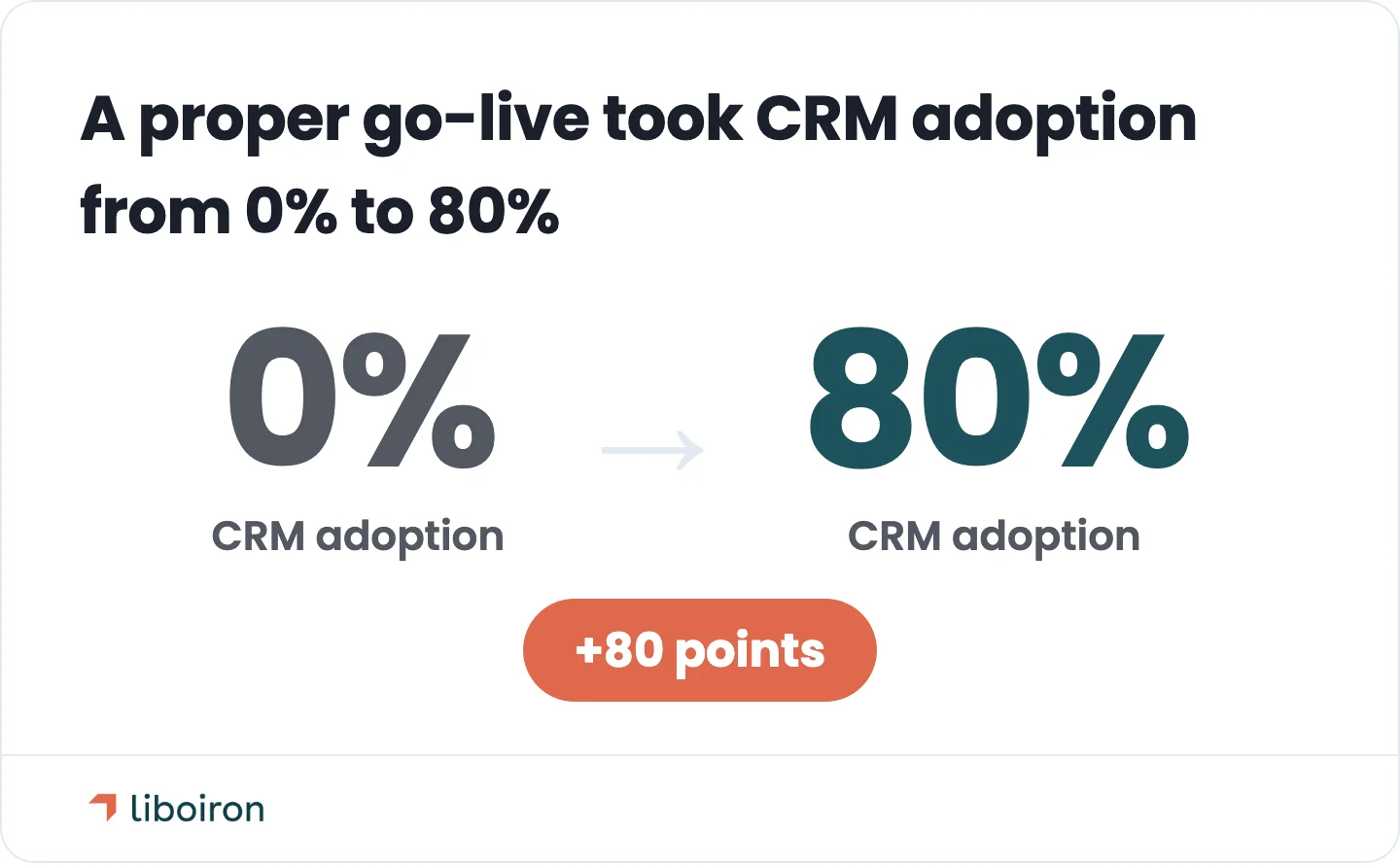
Done right, this phase is the difference between a tool people avoid and one they rely on. On a packaging manufacturer rebuild, CRM adoption went from 0% to 80%, the team gained 15 dashboard reports where they had none, and the sales cycle shortened by 20%, all within a three-month engagement. The full story is in our Lovepac case study. Getting people to use the system every day is its own discipline, and it's worth planning for beyond launch day.
Phase 6: Evaluation and Optimization (Ongoing)
Objective: treat go-live as a milestone, not the finish line. The teams that get the most from a CRM keep improving it after launch.
Monitor adoption and usage in the first weeks. Review your KPIs against the goals you set in Phase 1, ideally on a monthly cadence. Remove friction where people work around the system, and add automations as new needs surface. A CRM is a living system. The work slows down after launch, but it never fully stops.
- Owner: Project owner and leadership.
- Milestone: Adoption and KPI targets hit, with a recurring review cadence in place.
This is the phase that compounds. Across our client work, tightening workflows after launch is what drives results like a 60% cut in manual admin work and delivery on key processes running three times faster.
Your CRM Implementation Checklist
Use this per-phase checklist to track the plan. Each phase produces a deliverable that signals it's complete before you move on. Compliance is not a phase of its own. It runs across the build as a gate, so it sits at the bottom as a reminder to review it before go-live.
Data Security and Quebec Compliance
A CRM holds your customers' personal data, so security and compliance belong in the plan, not bolted on after. For Canadian teams, and Quebec teams in particular, two laws shape how you set it up.
Quebec's Law 25 (Bill 25) governs how you collect, store, and protect personal information. It covers consent, data handling, and breach reporting. Build it into the plan early: decide who can see what, set permission roles during Phase 2 configuration, and review data handling during Phase 3 migration. That means retention rules for old records and clear access controls, not an open database every user can export.

Bill 96 affects teams that operate in French in Quebec. Where required, your CRM interface, templates, and customer communications should be available in French. Setting the language and templates correctly during configuration avoids a rebuild later.
Build these rules into the configuration and migration phases rather than treating compliance as an afterthought. If your team spans English and French, handling both from the start is far easier than retrofitting.
Data residency is part of the platform choice, too. In 2026 Pipedrive opened a Montreal data centre, so Canadian customers can keep their CRM data hosted in Canada. If local data storage matters for your industry or for the contracts you bid on, factor it in when you pick and configure the platform.
Common Mistakes That Derail the Plan
Most CRM projects fail for a short list of avoidable reasons. Roughly 55% miss their objectives, and it's rarely the software's fault. These are the mistakes that cause it:
- Treating go-live as the finish line. Skipping Phase 6 means adoption quietly slides.
- Migrating dirty data. Duplicates and dead records kill trust in week one.
- Over-customizing too early. Building complex automations before you understand the workflow.
- Skipping role-specific training. One generic session teaches no one their actual job in the CRM.
- No single owner. A committee with shared responsibility and no clear decision-maker.
Each of these has a deeper story worth understanding before you launch. For the full breakdown of what goes wrong and how to prevent it, see our guide to common CRM implementation challenges. Our CRM implementation service exists to catch these before they cost you a rollout.
How to Measure If Your CRM Implementation Worked
Measure success against the goals you set in Phase 1, not a vague sense that the launch went fine. Four metrics tell you the most:
- User adoption rate: What share of the team logs in and works in the CRM daily.
- Data completeness: Whether deals and contacts carry the fields you need to report on.
- Sales cycle length: Whether deals move faster now that the pipeline is visible.
- Pipeline visibility: Whether leadership can see the numbers without asking for a spreadsheet.
The financial case is strong when the rollout is done right. A well-run CRM returns about $3.10 for every $1 spent, according to Nucleus Research. An earlier Nucleus study put the figure even higher, but $3.10 is the current benchmark to plan around. To model your own numbers before you start, our ROI calculator does the math on time and cost savings.

Do You Need a CRM Implementation Partner?
You can run a CRM implementation in-house when the setup is simple, your data is clean, and you have someone with the time to own it. A partner pays off when the data is messy, the integrations are many, or a past rollout has already failed and you can't afford another miss.
Here's where we fit. Liboiron is a Pipedrive Service Partner based in Montreal, and we run CRM implementations for SMBs across Canada. Our founder spent 18-plus years in industrial automation before moving into business process work, so we understand operations, not just software. We price on results, which means you pay for the outcome we scope, not for hours. And we keep our project volume low on purpose, so the founder is personally on every build instead of handing you to a junior.
The proof is in the rebuilds. A packaging manufacturer went from 0% to 80% CRM adoption. Property management and real estate teams got Pipedrive rebuilt around their real workflows instead of a generic sales template. If a CRM implementation is on your roadmap, book a free strategic call and we'll map the plan with you.
Frequently Asked Questions
How long does a CRM implementation take?
Most SMB CRM implementations take 4 to 8 weeks. A simple setup runs 4 to 6 weeks, a standard build with custom workflows and integrations runs 6 to 8 weeks, and complex multi-team rollouts can run several months. Data volume, integration count, and customization drive the timeline more than the software itself.
What are the phases of a CRM implementation plan?
A CRM implementation plan has six phases: (1) Planning and Strategy, (2) Configuration and Integration, (3) Data Cleansing and Migration, (4) Testing and Pilot, (5) Training and Go-Live, and (6) Evaluation and Optimization. Each phase has an owner and a milestone that confirms it's complete before the next begins.
What is the biggest reason CRM implementations fail?
Poor user adoption is the number one reason CRM implementations fail. Roughly 55% of CRM projects miss their planned objectives, and the cause is usually people not using the system, not the software itself. Adoption comes from building the CRM around real workflows, training by role, and leadership running its reporting out of the CRM.
Should I migrate all my old CRM data?
No. Migrate only the data you need, and clean it before you move it. Remove duplicates, standardize formats, and archive dead records first. Migrating everything, including years of junk, is a fast way to lose your team's trust in the new system. Clean data in week one is worth more than complete data.
Do I need a consultant to implement a CRM?
Not always. A simple CRM setup with clean data and an in-house owner can be done without one. A consultant or implementation partner earns their fee when your data is messy, you have many integrations, or a previous rollout already failed. The right partner shortens the timeline and protects adoption.
How do I measure if my CRM implementation worked?
Track user adoption rate, data completeness, sales cycle length, and pipeline visibility against the goals you set in Phase 1. On the financial side, a well-run CRM returns about $3.10 for every dollar spent. If adoption is high and your KPIs are moving, the implementation worked.
The Bottom Line
A CRM implementation plan is what separates the CRMs that get used from the ones that get abandoned. Run it in six phases: plan the strategy, configure and integrate, clean and migrate your data, test with a pilot, train and go live, then keep optimizing. Give it one owner, a realistic 4-to-8-week timeline, and leadership that lives in the system from day one.
If you'd rather not run it alone, a CRM implementation plan built by a results-guaranteed Pipedrive partner takes the risk off your team. Liboiron is a Montreal-based automation agency, and we've taken a Canadian manufacturer from an underused CRM to 80% adoption and a 20% shorter sales cycle. Book a free strategic call and we'll map the plan with you.