Table of Contents
The 10 CRM best practices below come down to five themes: set clear goals, keep your data clean, automate the busywork, drive real adoption, and treat the system as something you improve over time, not a project you finish. Do those well and the CRM pays for itself. Skip them and it becomes an expensive contact list nobody updates.
That gap is bigger than most teams expect. Around 55% of CRM implementations miss their planned objectives, and the software is rarely the problem. How it gets rolled out, and whether people actually use it, is what decides the outcome. We're a Montreal-based Pipedrive Service Partner, and we implement CRMs for Canadian SMBs in manufacturing and construction. We turn underused systems into ones teams actually rely on every day. The 10 practices below are how you land in the half that works.
Key Takeaways
- Adoption is the whole game. Low user adoption is the leading cause of CRM failure. A system your team avoids returns nothing, no matter how well it is configured.
- Clean data beats more features. Duplicate, stale, and half-filled records break trust fast. Once reps stop trusting the data, they stop using the tool.
- Automate the busywork first. Removing manual data entry is what makes people actually use the CRM. It stops feeling like a chore and starts saving them time.
- A modern CRM returns about $3.10 for every $1 spent when it is adopted, not just installed (Nucleus Research). The return follows usage, not the licence purchase.
- Best practices are ongoing, not a launch checklist. Regular audits and small improvements keep the system alive as your business changes.
Why Most CRM Projects Fail
Most CRM projects fail on adoption, not technology. The Johnny Grow CRM Failure Report puts the failure rate near 55%, measured as deployments that miss their planned goals. Other estimates range from roughly 50% to 75%, depending on how failure is defined. The common thread across all of them is the same: teams that do not use the system.

The upside is just as clear. A CRM that people actually use returns about $3.10 for every dollar spent, according to Nucleus Research. That is the current figure. The widely quoted $8.71 return is an earlier Nucleus number from a decade ago, before the market matured, so treat it as historical context rather than today's benchmark. Either way, the return comes from adoption, not from buying a licence. You can estimate your own number with our ROI calculator.
If you are still deciding whether your team needs a CRM at all, start with our guide on whether you need a CRM. If you already have one and it is not working, the practices below are the fix.
1. Start With Clear Goals Tied to Real Metrics
Define what success looks like before you touch the settings. A CRM should measure a specific outcome: a shorter sales cycle, faster lead response, higher retention, or better forecast accuracy. Pick two or three, write them down, and configure the CRM to report on them.
Vague goals produce vague setups. "Get organized" gives you no way to know if the project worked. "Cut lead response time from two days to two hours" tells you exactly what to build and how to measure it. Tie those goals to the return you expect, since a CRM that hits its targets is what delivers that $3.10 on the dollar.
Choose a CRM that fits those goals too. The most feature-heavy platform is not the best pick if your team will never use half of it. Match the tool to how you actually sell.
2. Map Your Process Before You Customize
Document how a lead becomes a customer before you configure anything. Write out each stage: how a lead comes in, when it becomes a real opportunity, what a rep does at each step, and what has to happen before a deal closes. That map is the blueprint for your pipeline.
Skipping this step is one of the most common ways CRM projects go wrong. Teams buy a tool and start customizing it around guesses instead of their real workflow. The result is a system that does not match how the business runs, so nobody trusts it. Over-customizing early makes it worse, not better.
This is the first step in how we approach every build. Our methodology starts with mapping your operations before any software gets configured, because the process has to be right before the tool can help.
3. Make a Real Implementation Plan
Treat the rollout as a project with a scope, a timeline, and an owner for each phase. A workable plan covers goals, the people involved, data migration, training, integrations, and a staged rollout rather than a single big-bang launch. Phasing it lets you fix problems on a small group before they spread to the whole team.
Timelines depend on complexity. A simple Pipedrive setup usually takes 4 to 6 weeks, and a standard build runs 6 to 8 weeks. Larger, multi-team rebuilds take longer. Anyone promising a serious CRM live in a few days is skipping the parts that make it stick.
A full implementation plan is a topic on its own, covering data migration, roles, and go-live in detail. If you want help building and running that plan, that is exactly what our CRM implementation service does.
4. Set Data-Quality Standards From Day One
Clean data is what makes a CRM trustworthy, and trust is what drives use. The moment reps hit duplicate contacts, blank fields, or records from a deal that closed last year, they stop believing the system. Only about 35% of sales professionals fully trust their organization's data accuracy, according to Salesforce research. That distrust is a direct tax on adoption.

Set the rules before the first record goes in. Decide which fields are required, standardize naming conventions, use dropdown menus instead of free text where you can, and clean and de-duplicate any data before you import it. Validation rules catch bad entries at the point of entry, where they are cheap to fix.
Give someone clear ownership of data quality. A "data steward" who reviews new records, merges duplicates, and corrects errors keeps the system honest as it grows. It is a small role with an outsized payoff. Automation covered in the next practice does the heavy lifting, but a human owner sets the standard.
5. Automate the Manual Work
Automation is the single biggest lever for CRM adoption, because it removes the work people hate. Auto-log emails and calls, route new leads to the right rep, trigger follow-up reminders, and update deal stages on set actions. Every task the system handles is a task your team does not have to remember.
The time savings are real. Reps burn hours every week on manual data entry and prospecting, and those who automate those tasks are about 16% more likely to hit their targets, according to Pipedrive's State of Sales and Marketing report. When the CRM saves reps time instead of adding admin, they stop resisting it.
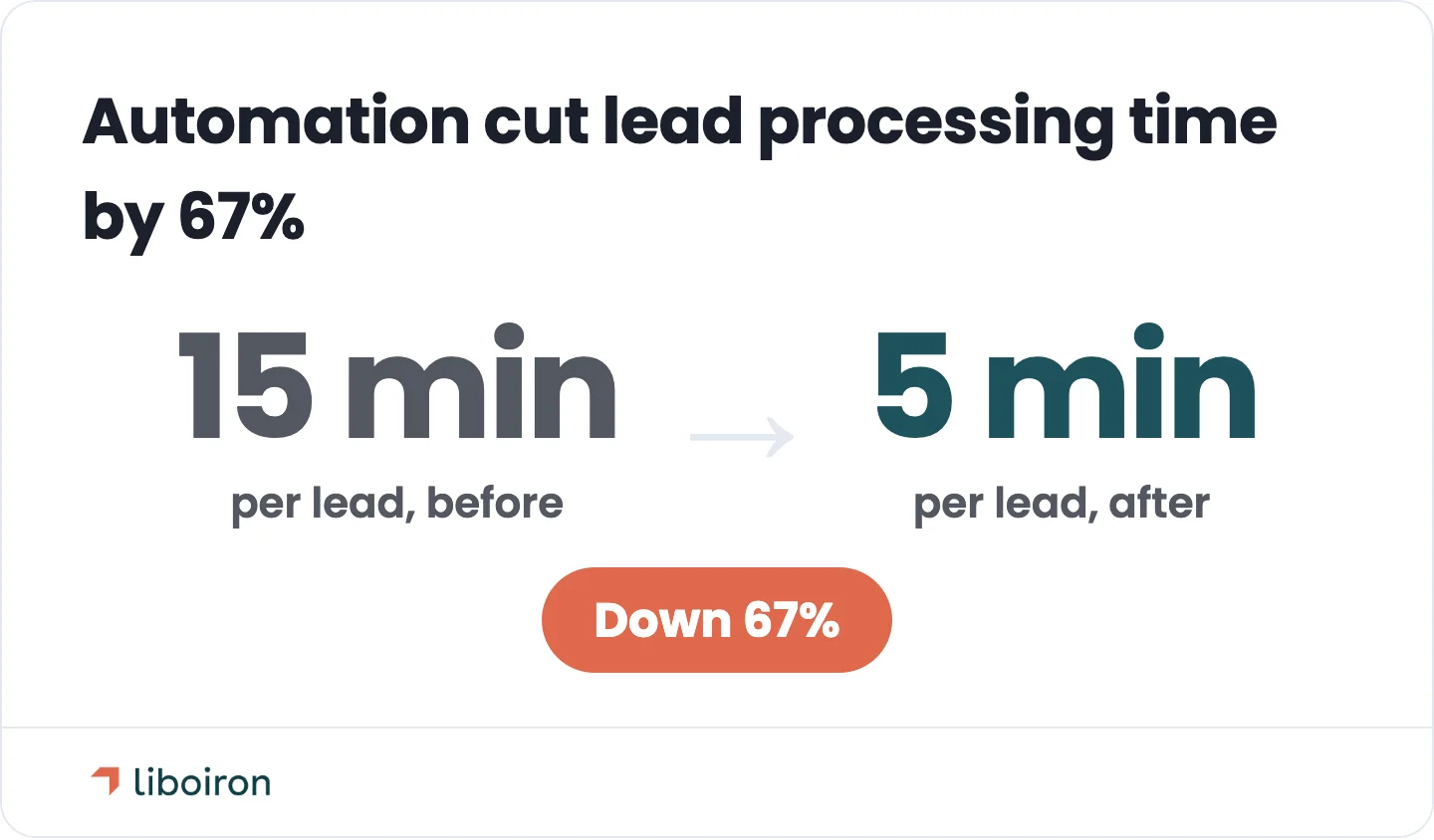
We see this on real projects. For Multilogements ChezTOIT, a property management team, we rebuilt their Pipedrive around their actual workflow and connected every lead source, cutting lead processing time by 67%, from 15 minutes to 5. That kind of result comes from automating the manual steps, which is the core of what we do with AI agents and process automation. The tool matters less than removing the friction.
6. Drive Adoption Through Value, Not Mandates
Adoption sticks when the CRM helps people do their jobs, not when you force them to log in. Mandates and threats produce rushed, low-quality entries and quiet resentment. Reps enter the bare minimum to stay out of trouble, the data gets worse, and the whole system loses value. Value works where pressure fails.
A few tactics make the difference:
- Name internal champions. Pick respected high performers to model good CRM use and help their peers. Champions move a team faster than any policy.
- Pilot before you scale. Roll out to one team first, fix what breaks, then expand with a system that already works.
- Train continuously, not just at launch. Teach features when people are about to use them, not in one big session weeks ahead that everyone forgets. Ongoing enablement, quick refreshers, a help channel, and short how-to guides keep adoption from sliding once the initial push fades.
- Get leadership into the CRM. When managers run their decisions and meetings off CRM reports, reps have a clear reason to keep their data current.
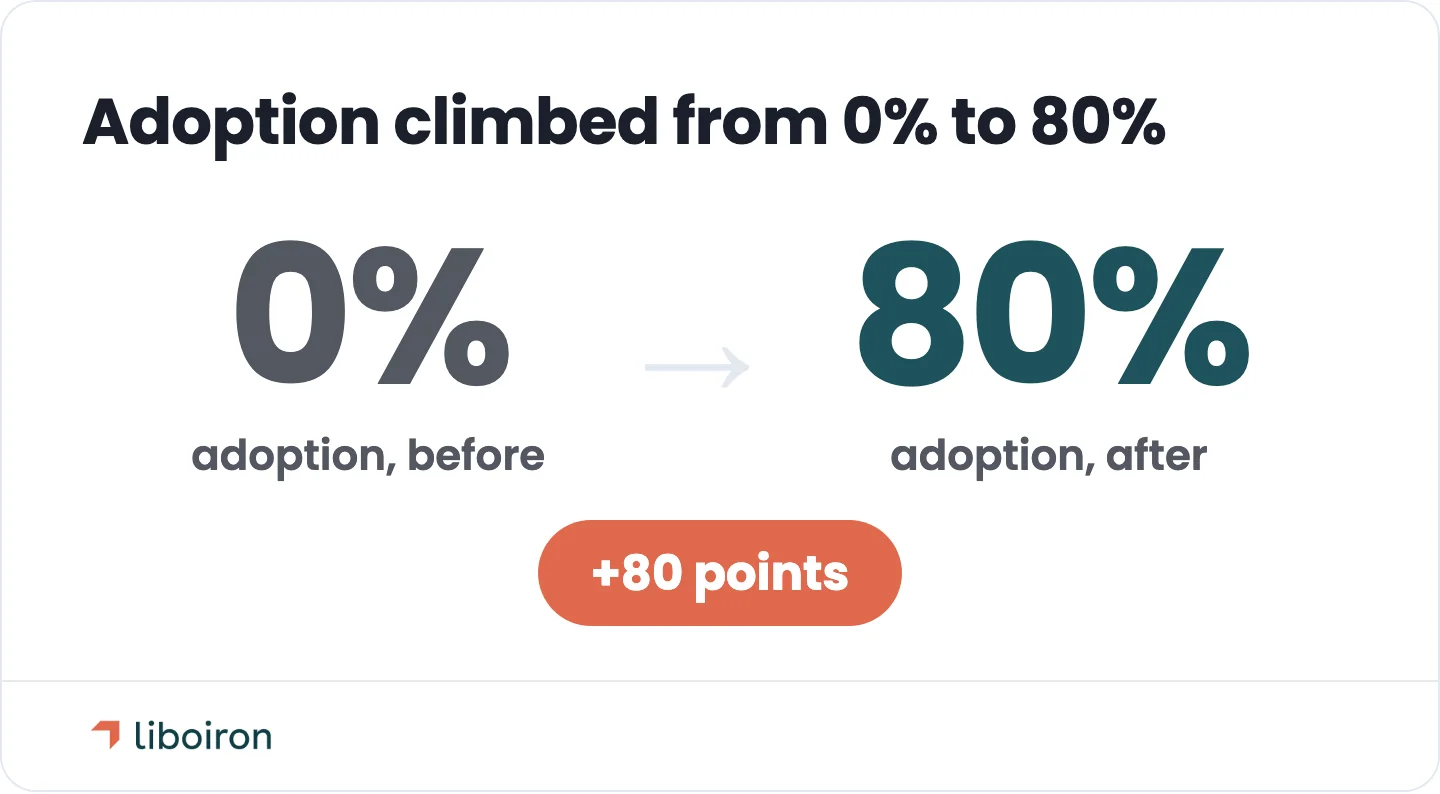
This is buildable, not just wishful thinking. For Lovepac, a packaging manufacturer whose CRM was being used at a fraction of its capacity, we rebuilt the system from scratch and took adoption from 0% to 80%, added 15 dashboard reports, and shortened the sales cycle by 20%. Adoption is a design outcome, not a personality trait. It is a deep enough topic to deserve its own playbook, but these tactics are where every successful rollout starts.
7. Connect Your CRM to the Rest of Your Stack
A connected CRM becomes the single source of truth. Left on its own it turns into one more disconnected tool, and disconnection is expensive: roughly 70% of the average company's apps aren't integrated with one another, according to MuleSoft's Connectivity Benchmark Report. Every gap between tools is a place where data gets re-keyed or lost.
Connect the systems your team already lives in:
- Email and calendar, so every message and meeting logs itself against the right contact.
- Communication tools like Microsoft Teams, Zoom, Google Meet, and Slack, so calls, video meetings, and messages tie back to the deal.
- Accounting, so a won deal flows straight into an invoice. For teams on QuickBooks, we build an integration layer that syncs deal-to-invoice automatically rather than relying on a weak native connector.
- Operations tools, so a won deal hands off cleanly from sales to the team that delivers the work. Connecting Pipedrive to your ERP or project management system (like Monday.com) keeps the sales-to-operations handoff from getting re-keyed by hand or dropped between teams.
The goal is one place where customer information lives, so nobody has to check three tools to understand an account.
8. Build Reporting and Dashboards Leaders Actually Use
Reporting is what turns CRM data into decisions. Dashboards for pipeline health, sales activity, forecast, and conversion give leaders a live view instead of a monthly scramble through spreadsheets. Pipeline reports also expose where deals stall, so you can fix the specific stage that is leaking.
Reporting and adoption feed each other. When leadership runs its meetings off CRM dashboards, the data has to be current, so reps keep it current. A CRM that produces reports nobody opens is a CRM nobody has a reason to update. Build the dashboards your decision-makers will check every week, and usage follows.
9. Keep the Whole Team Aligned on One System
A CRM only works when sales, marketing, and service share the same source of truth. Cross-team alignment starts before launch, with buy-in from the leaders of every department that will touch the system and clear agreement on what goes in it. Skip that and you get competing spreadsheets and finger-pointing.
Shared data pays off across departments. When sales can see a support ticket and service can see the deal history, handoffs stop dropping and customers stop repeating themselves to every new person they talk to. Segmenting your contacts with clear tags then lets each team prioritize the right accounts without stepping on each other.
10. Treat Your CRM as Ongoing, Not Set-and-Forget
A CRM is a living system, not a one-time install. Schedule regular audits of your data quality, your workflows, and your adoption rates, and adjust as your business changes. New products, new hires, and new processes all need the CRM to keep up, or it drifts back toward the mess it replaced.
For Quebec teams, keep Law 25 data-handling rules in mind as part of those audits, since how you store and manage customer data is a compliance question, not just a tidiness one. Bill 96 adds a French-language layer: customer-facing contracts and communications generally need to be available in French, so it is worth setting your CRM templates up that way from the start rather than retrofitting later. Small, steady improvements are what separate a CRM that gets better every quarter from one that slowly rots.
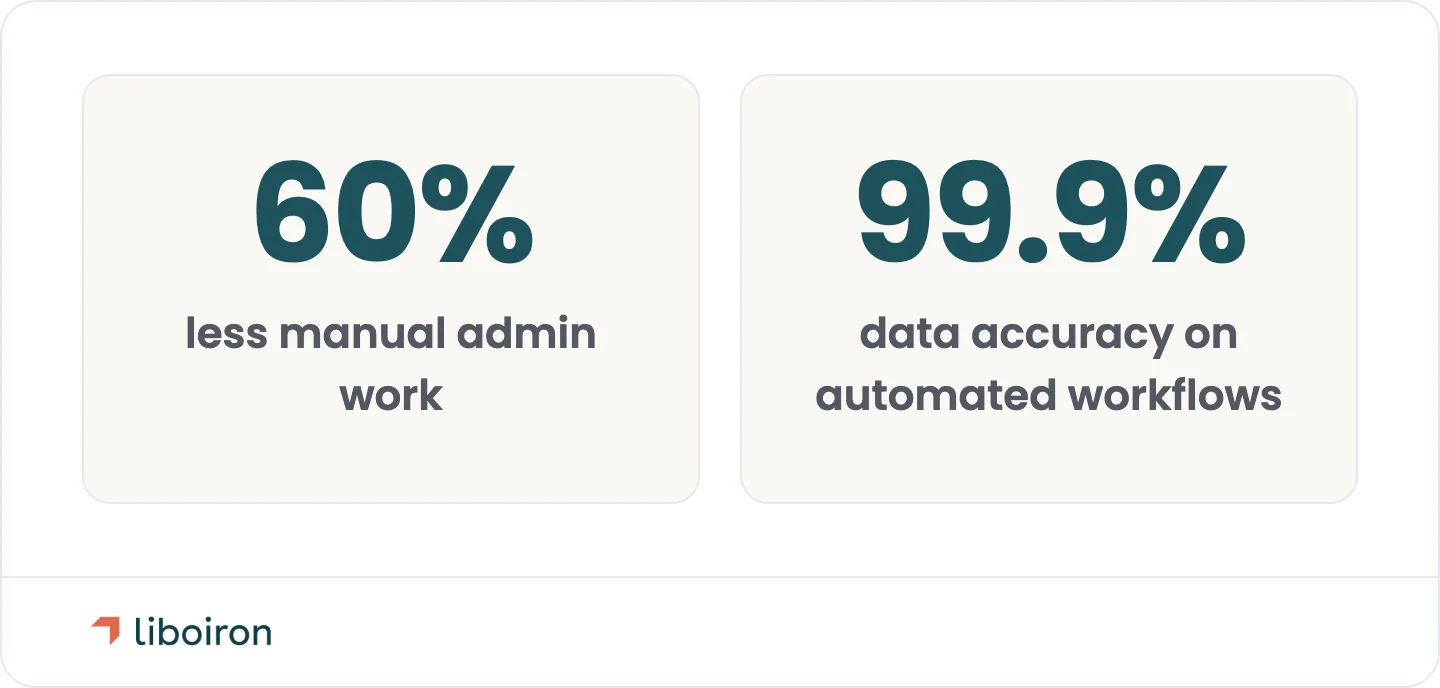
Doing all ten of these well is a real project, which is why many growing SMBs bring in an implementation partner instead of stretching an already-busy team. That is the role we play: we handle the mapping, the build, the automation, and the training end to end, and our clients see about 60% less manual admin work and 99.9% data accuracy across the workflows we automate. The point is not the tool. It is a system your team actually uses.
Also read: CRM Implementation Plan
Frequently Asked Questions
What are the 4 C's of CRM?
The 4 C's of CRM are Currency, Correctness, Consistency, and Completeness. They describe the four qualities of trustworthy CRM data: information that is up to date, accurate, uniform across records, and fully filled in. It is a simple checklist for the data-quality standards every CRM depends on.
What are the 4 pillars of CRM?
The 4 pillars of CRM are People, Strategy, Processes, and Technology. Together they capture the idea that a CRM is not just software. It succeeds only when the right people follow a clear strategy and defined processes, with technology supporting all three rather than replacing them.
How long does a CRM implementation take?
A simple CRM implementation usually takes 4 to 6 weeks, and a standard build runs 6 to 8 weeks. Larger, multi-team rebuilds with heavy data migration take longer. The timeline depends on how many workflows, integrations, and users are involved, not on the software itself.
Why do so many CRM projects fail?
Roughly 55% of CRM projects miss their planned objectives, and low user adoption is the leading cause. When a team does not trust the data or finds the system harder than the old way of working, they avoid it. Clean data, automation, and value-first rollout are what turn that around.
What is the ROI of a CRM?
A CRM returns about $3.10 for every $1 spent, based on current Nucleus Research figures. An earlier, widely quoted number put it at $8.71 per dollar, but that figure is roughly a decade old and predates a more mature market. In both cases the return depends on adoption, since an unused CRM returns nothing.
Does Pipedrive keep Canadian data in Canada?
Yes. In 2026 Pipedrive opened a Montreal data centre, so Canadian customers can keep their CRM data hosted in Canada. That supports data-residency rules like Quebec's Law 25 and removes a common blocker for SMBs bidding on contracts that require local data storage.
Conclusion
Strong CRM best practices all point in one direction: build a system your team wants to use. Clear goals give it purpose, clean data earns trust, automation removes the friction, value-first rollout drives adoption, and regular audits keep it sharp. The 55% of projects that fail almost always break on that last mile of adoption, not on the technology.
That is the part we focus on. Liboiron is a Montreal-based Pipedrive Service Partner, and we help Canadian manufacturers, construction firms, and growing SMBs turn underused CRMs into daily habits, including one build that went from 0% to 80% adoption. If your CRM is not pulling its weight, book a free strategic call and we will map out how to fix it.
Sources
- Johnny Grow: CRM Failure Rate
- Nucleus Research: CRM Returns $3.10 Per Dollar Spent
- Nucleus Research: CRM Pays Back $8.71 For Every Dollar Spent
- Salesforce: State of Sales
- Salesforce: State of Service
- Pipedrive: State of Sales and Marketing
- MuleSoft: Connectivity Benchmark Report
- Pipedrive: Montreal Data Centre for Canadian Data Residency